How it works
Do the job once. The record writes itself.
Right now the map is on paper and the system lives in one operator's head. Here are the five screens that change that: the map, the record, the phone, the work order, and the report. No consultants, no year-long project.
Get a demo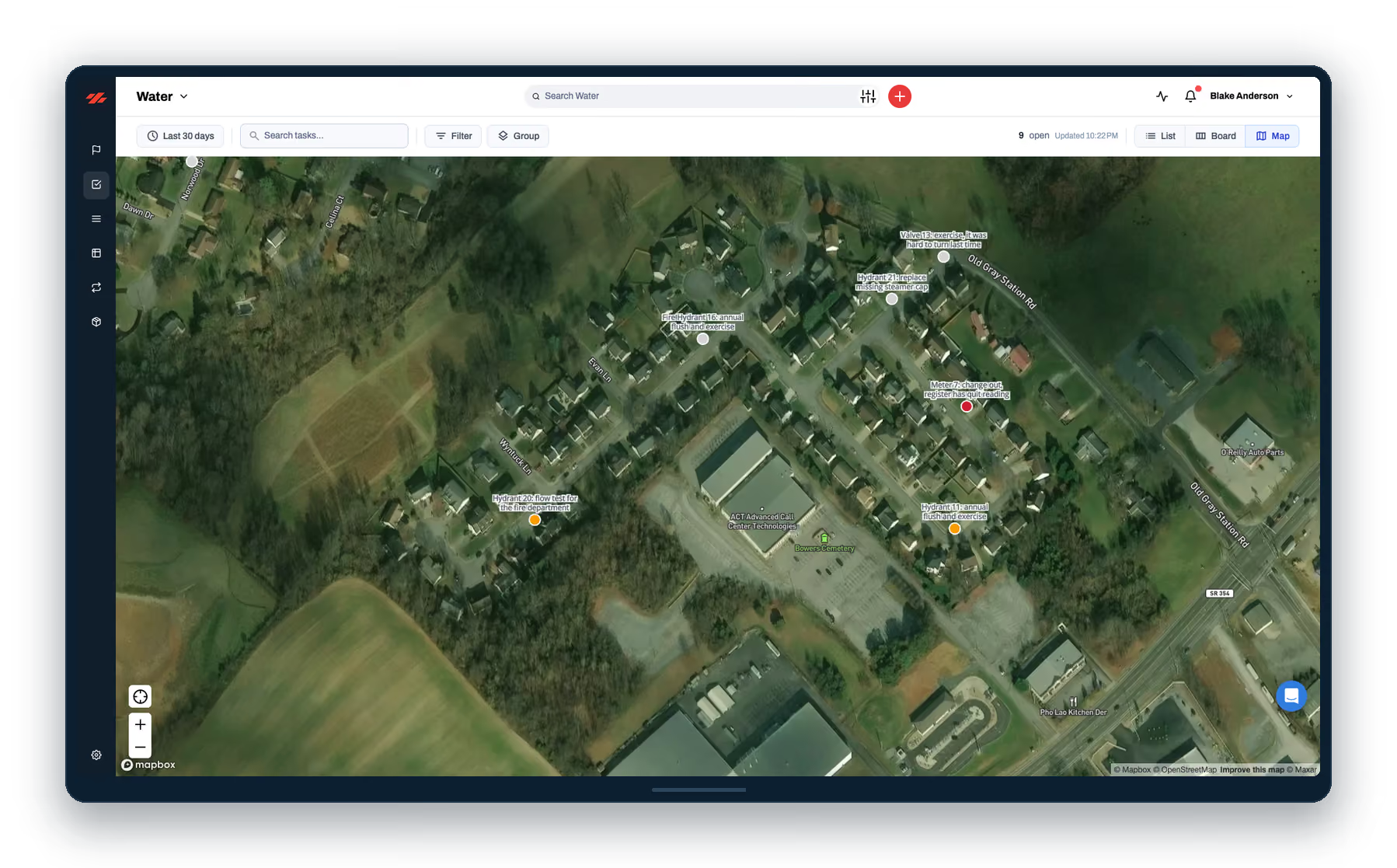
Screen 1 of 5 · The map
It starts where the asset stands
Pin it where it stands, from the truck, with a photo.
Every asset on one map you can hand to the next hire.
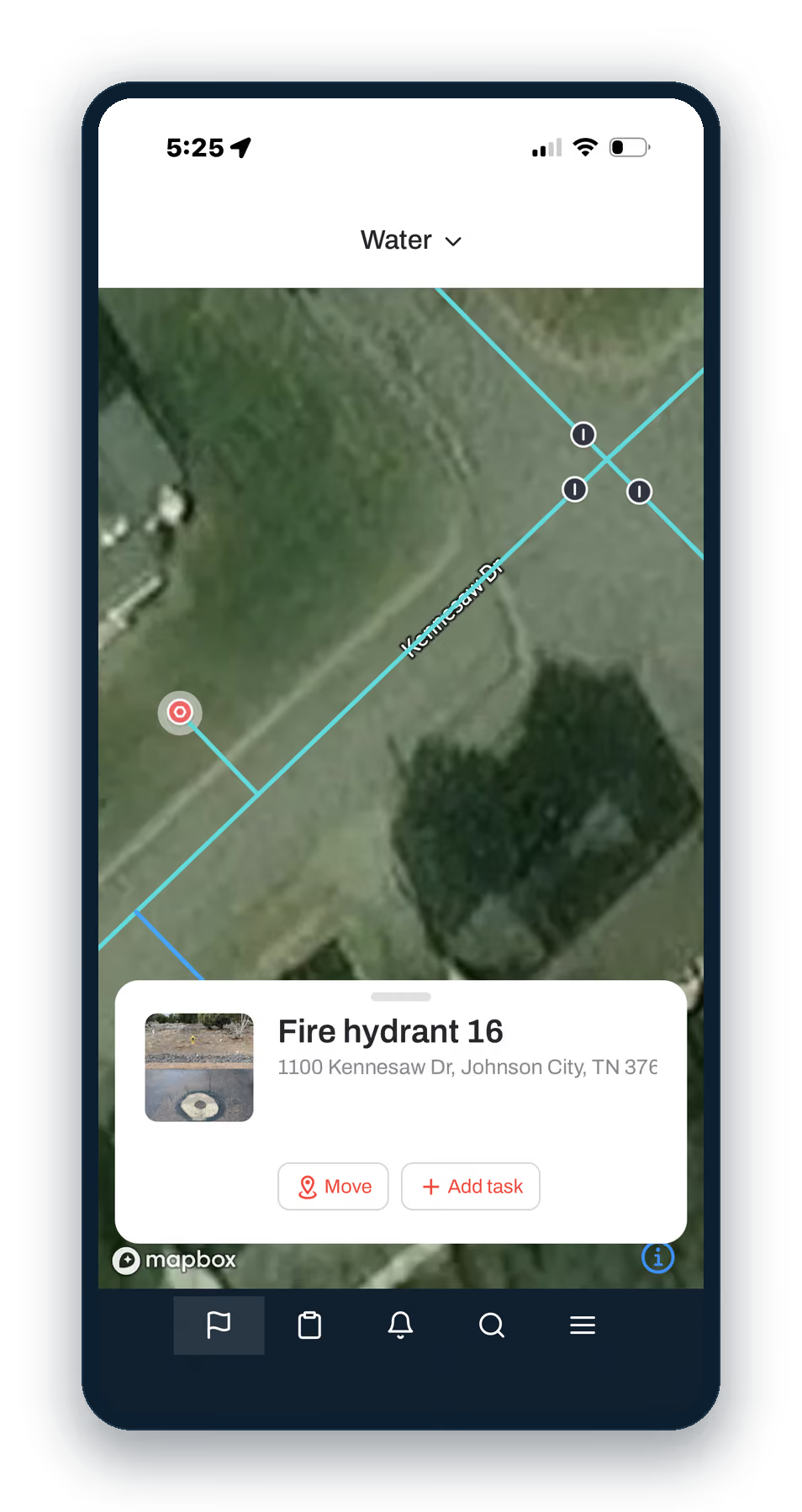
Screen 2 of 5 · The record
The pin remembers what you know
Everything the last guy knew, without having to ask him.
The install date, the last repair, and who did it, in one place.
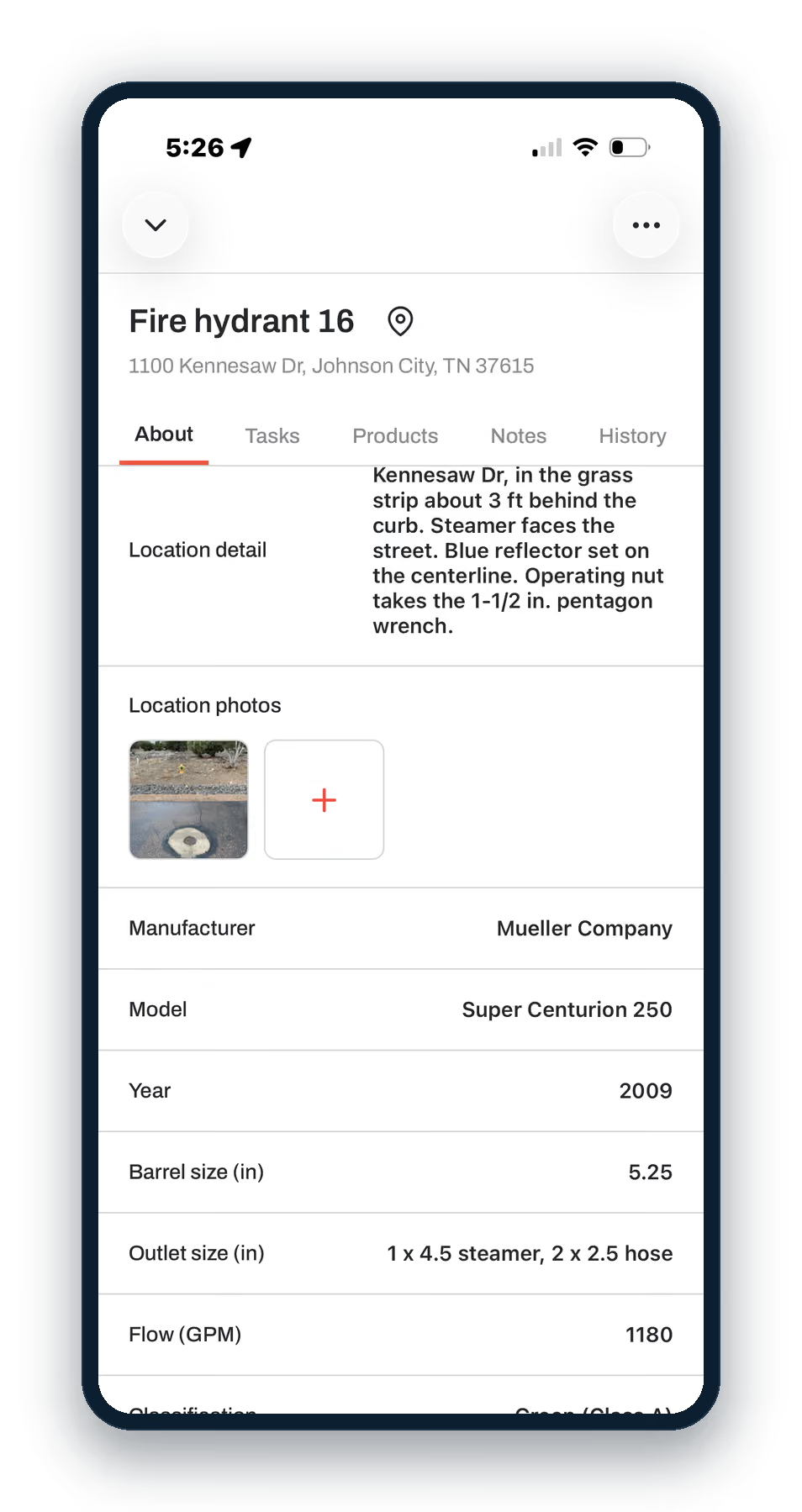
Screen 3 of 5 · The phone
The record grows from the field
Log the job on the phone before you leave the site. It still logs offline and syncs when the truck gets bars back.
No end-of-day data entry, no backlog of paper tickets.
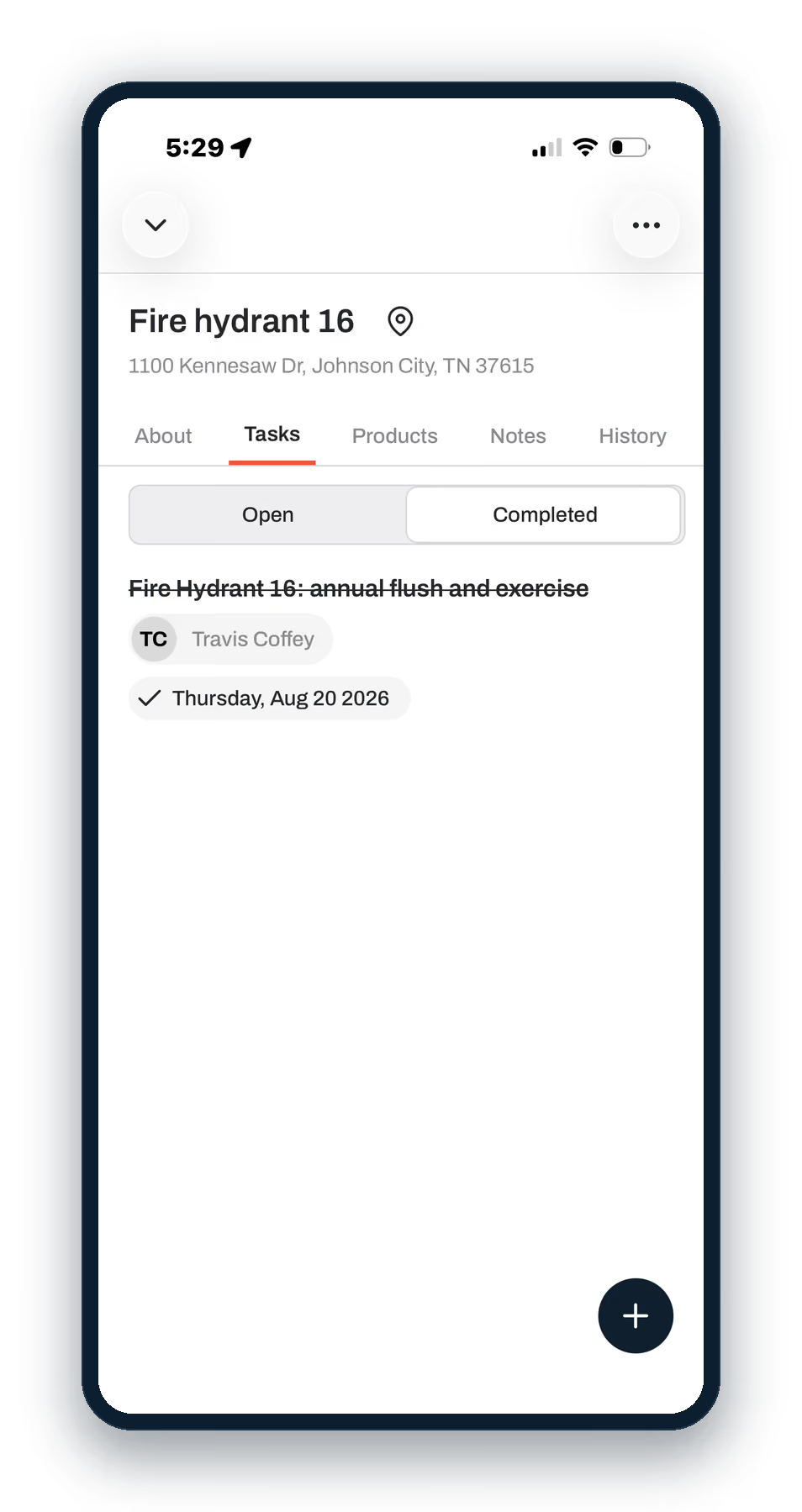
Screen 4 of 5 · The work order
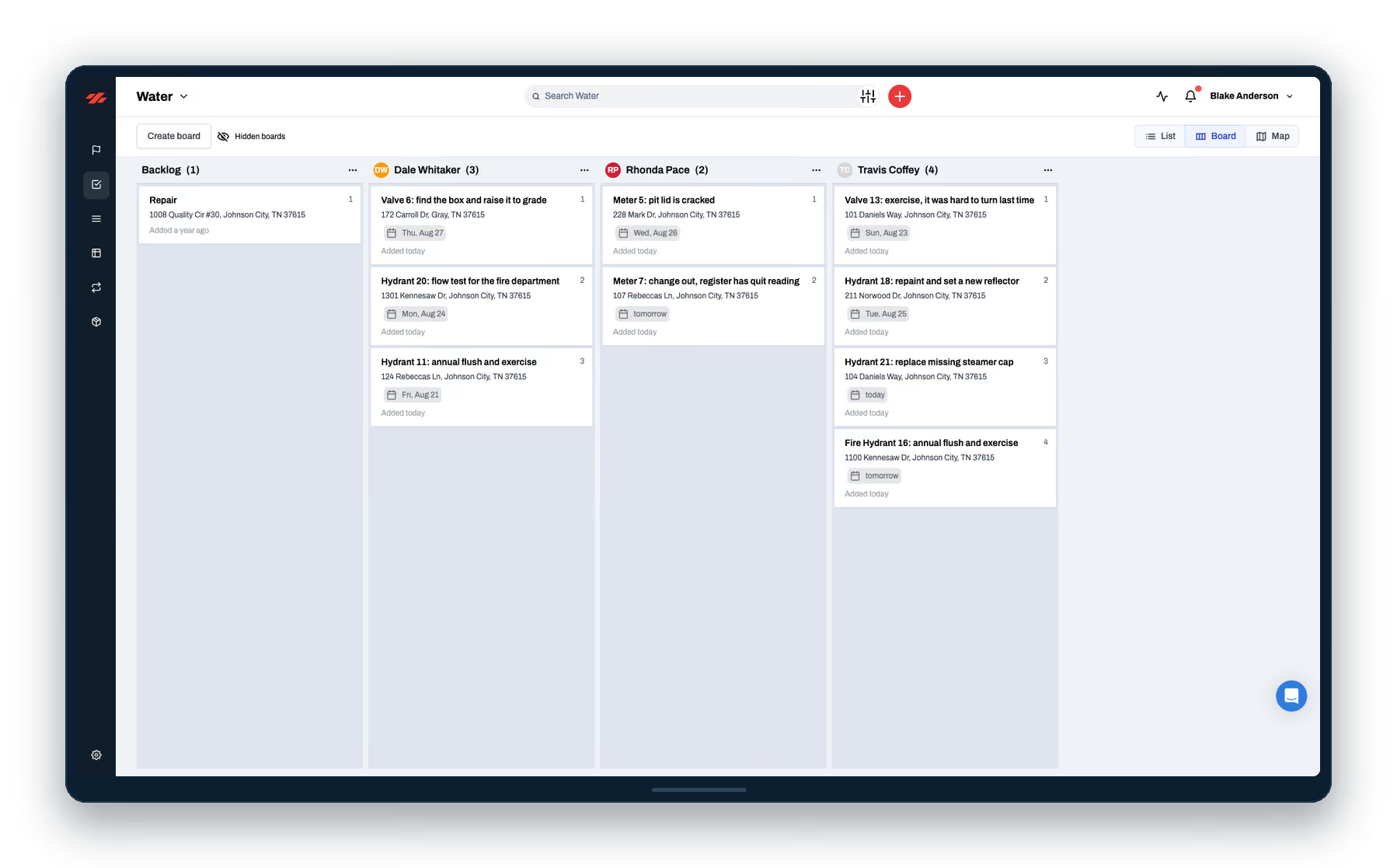
Work orders that write the history
The job lands in the queue, already filed against the asset.
Every closed order becomes permanent asset history, automatically.
Preventive maintenance runs on the same queue.
Screen 5 of 5 · The report
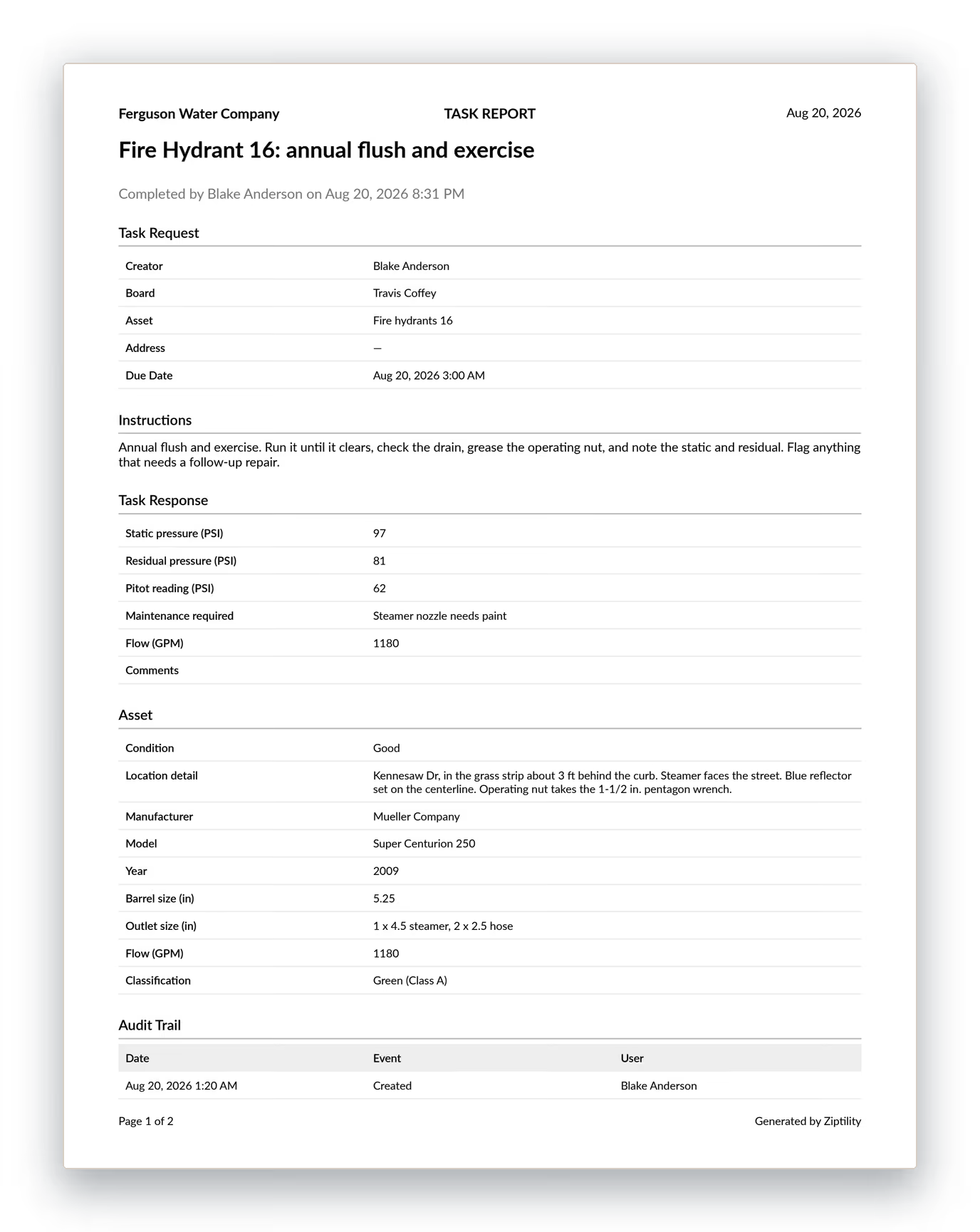
And it all lands in the report
Nothing extra to fill out. The report builds from the work.
Board-ready reports, and the paperwork SRF and USDA funding ask for.