Water Utility Asset Management Software
Ziptility is purpose-built software for utilities. Map assets, complete locates, work orders, customer requests, and maintenance — all in one app.
Subscribe to get Notifications
Get notified about new features, product updates, and tips for getting more out of Ziptility.

The Water Utility Asset Management Software You Always Dreamed Of
Ziptility is purpose-built software for utilities. Map assets, complete locates, work orders, customer requests, and maintenance — all in one app.
Schedule A Demo
What Is Water Utility Asset Management Software?
Water utility management software gives you a single place to see all your assets, search any detail about them, schedule work, and keep your field crews productive with a tool they actually want to use. When everyone on your team is contributing what they know, the whole utility gets smarter.
Why Water Utility Management Is Getting Harder
Every small water utility we talk to is dealing with the same four pressures — and most are dealing with all four at once. Your infrastructure is aging and your budget isn't growing. One superintendent told us: "I don't want to spend a lot of money because I've got a really tight city council." The people who know your system are leaving — "preventative maintenance data is stored in Bernie's brain," and when Bernie retires, that data leaves with him. Your records are scattered, incomplete, or on paper — "paper and pencil drawn utility maps, that's what I have." And you've already tried software that didn't work — "at the end of the day, it just didn't work" and "it didn't incorporate well with the system that was already in place." So now there's a trust problem on top of an infrastructure problem.
- Widespread Infrastructure: The majority of small to medium sized utilities actually have to maintain more feet of main lines in order to serve fewer customer which leads to greater opportunities for main breaks. With a lack of resources, they also don't have immediate access to sophisticated leak detection software or services.
- Shrinking Revenue Base: Rural towns have seen an increase in urban flight, the disappearance of high-paying middle class blue collar work, which has lead to smaller populations, lower birth rates, lower median incomes. This makes it difficult for utilities to impose the rate increases necessary to provide water service at a high-level without taking on too much municipal dept.
- High Employee Turnover: The average age of workers in the utility industry has been increasing with a high number of utility workers set to retire in the next 10 or 15 years. This coupled with the lack of talent entering into the industry, we have a labor shortage that's making it difficult for water utility operators to find hard working, quality talent to backfill the employees who've been at the utility for a long time.
- Paper Maps and Outdated Records: Most small utilities have only one computer, which is either being used by the office manager to maintain the billing software, or it's too old to be even used and sits back in the corner. The majority of the institutional knowledge in the water utility either lives in an operators head or it's on a punch card locked away in a filing cabinet.
These aren't abstract industry trends. They're what keeps operators up at night.
What Real Asset Management Looks Like
One of the most important tools in water utility management is GIS — having real-time access to a map of every asset in your system. But knowing where something is doesn’t mean you’re managing it. Your system includes many different asset types, each with unique maintenance needs: valves, hydrants, meters, water mains, service lines, tanks, pump stations, PRVs, air release valves, blow-offs, manholes, and more.
"I just like the idea of being able to see my water lines all on one piece of paper and being able to zoom in on valves and hydrants."
— Andrew Hanna, Whitewater KS
- Hydrants
- Valves
- Manholes
- Culverts
- Force Main Lines
- Main Lines
- Service Lines
- Gate Valve
- Ball Valve
- Butterfly Valve
- Curb Stops
- Booster Stations
- CSO's
- Gravity Lines
- Fittings
- Catch Basins
- Cleanouts
- Inlets
- Lateral Lines
- Lift Stations
- Meters
- Booster Stations
- Ponds
- Pump Stations
- Service Taps
- Tanks
- Wells
And that’s just the underground stuff.
You’re also managing people, trucks, buildings, motors, pumps, facilities, and equipment — plus backflow prevention monitoring, smoke surveys, inspections, lead and copper testing, and more.
Information about these assets matters to office managers, engineers, vendors, contractors, excavators, and pipe distributors. Everyone needs access to the same data.
How are you managing all of this today? If the answer involves multiple software tools with different licenses, different versions, and different user interfaces, you’re making your job harder. Ziptility puts it all in one app — GIS, work orders, inspections, locates, and asset management — so your team can focus on the work, not the tools.
With modern water utility asset management software, you should be able to see a full history of everything that’s ever been done to a particular asset. For a hydrant, that means flow tests, repairs like replacing a chain or gasket, and fire inspection results. Keeping hydrants fully functional is critical for fire response. And it’s just as important for everyone else at the utility to have visibility into that history. Full transparency into every decision and every job completed on an asset is what makes water utility management actually work.
That kind of record also matters when someone new joins the crew. Instead of relying on tribal knowledge or asking around, a new operator can tap any asset and see its full history — what was done, when, and by whom. The learning curve gets shorter because the system itself holds the knowledge.
Your asset management software should make it easy for crew members to create work orders for themselves, assign tasks to a teammate who’s better suited for a particular repair, or log work that’s already been completed so the whole team stays on the same page.
Water Asset Management Plans
Asset management plans are increasingly required by state legislatures as a condition for receiving federal infrastructure funding. These plans are typically developed or certified by an approved engineering firm. The five most critical data points are asset age, condition, criticality of failure, business risk exposure, and cost to replace. Being able to capture that information along with photos and CCTV video from a mobile app makes the engineering assessment more accurate and less expensive. It also helps you build forward-looking capital plans for the infrastructure upgrades your system needs. Mobile-first water utility asset management software saves money on engineering fees and on the emergency repairs that come from not having a plan.
811 Locates
811 locates are a pain, but every operator has to do them — and you definitely don’t want someone digging through your main line. Locates protect the public, prevent costly breaks, and keep your water service running. Here are five things your 811 locate software should handle: ticket intake and assignment, GPS-accurate locate mapping, photo documentation, response time tracking, and automatic record-keeping for compliance.
- See Locates On Your Mobile Device: You shouldn't have to go into the office and print off 100 811 locate tickets. Your crew should be able to see the 811 locate tickets and all of the information associated with them as they come in. What priority is the ticket? Emergency or Normal? Who called it in? What depth are they digging? What's the service for? When does it need to be done by? It should also give the information of the coordinates, it references, but also a general location description. This will allow your crew to save precious time and increase your field crew productivity.
- Complete Them & Save History Of Locates: Your 811 locate software and app should allow you to complete the locate, add some notes about the job you did, but then also allow you to take pictures of the job that you did. You are only required in most states to keep a record of the locate ticket for 21 days, but it's a good practice to have these in storage forever because, you want to have record that you did the locate if someone were ever to hit your utilities.
- Search By Priority or Date: Your 811 Locate Ticket Software should allow you to search for your locates based on when they're due or by their priority. Knowing that a locate is a priority locate versus a normal one is critical in planning out your day.
- Bi-Directional Updating with GIS Software: When you're doing a locate, you're identifying where a utility is and you have the ability to update critical infrastructure information regarding that asset for everyone else in your water utility to benefit from. When you make a change, while doing a locate, that data should be updated in your GIS Maps as well.
If Software Has Let You Down Before, That's Not On You
We hear the same thing from about eight out of ten utilities we talk to: they tried something, and it didn't stick. Sometimes the software was too complex for their team size. Sometimes it required a GIS department they didn't have. Sometimes the administrator pushed for it and the field crew pushed back.
That's why Ziptility starts differently. You try it with your own data for 14 days. Your crew uses it in the field — on the phones they already carry. If they don't pick it up, you'll know before you've committed to anything. No contract, no setup fee, no six-month implementation. And your data is yours — you can export it anytime.
"If it's simple enough — and it looks like it is fairly easy to operate."
— Dwayne Chisam, San Miguelito MWC
Sewer Asset Management: What's Underground Can't Be Ignored
Your sewer system doesn't announce its problems the way water does. A water main breaks and you see it — there's water in the street, the phone's ringing, somebody noticed. A sewer problem can go undetected for years. Infiltration and inflow creeping in through cracked lines. A lift station running longer than it should. A manhole that's been paved over and forgotten — "we uncovered a manhole two weeks ago that nobody had seen. Been covered up by the road."
Sewer asset management means tracking the things you can't see: manholes, gravity lines, force mains, lift stations, grinder pumps, cleanouts. It means knowing which sections of your collection system are oldest, where your I&I problems are worst, and which lift stations have the most emergency call-outs.
Most of the utilities we work with manage both water and sewer — and they need both systems on the same map, tracked in the same app, with work orders that cover everything from a water meter replacement to a lift station inspection. That's what water and wastewater asset management software should be: one tool for both sides of the system.
Water Supply Management: From Source to Tap to Sewer
Water supply management starts upstream — knowing your source capacity, tracking treatment processes, and monitoring distribution all the way to the meter. For most small utilities, "the treatment side of things" is a separate world from the distribution side. But they're managing the same water — from the well or the intake, through treatment, into the clearwell, out through the distribution system, and to the customer's tap. Water supply management software that connects both sides means your plant data and your distribution data live in the same place.
Your Data in One Place
Your water utility generates data every day — meter reads, work order completions, inspection results, locate responses, maintenance notes. The question isn't whether you have data. The question is whether you can find it when you need it. When the state asks for your maintenance history, can you pull it up — or is it in a filing cabinet, a spreadsheet, and three different email threads? Water utility data management isn't about fancy analytics. It's about having one place where everything lives so you can answer the question when it's asked. "Have something to show the council" — that's what it comes down to.
What to Look for in Water Utility Management Software
Here are the top things you can do with water utility management software: map and track every asset in your system, schedule and assign work orders, complete 811 locates with GPS accuracy, run hydrant flow tests and inspections, manage customer service requests, build and execute an asset management plan, and keep your entire team on the same page — from the field to the office.
- Water Valve Exercising: Utility Crew members should be able to view any asset data or work history relating to that asset on any iOS, Android device or computer.
- Manhole Inspections: With a robust solution like Ziptility, utility crews will be able to track critical data about their manholes, like depth, invert and elevation data, photos of the manhole walls, and even capture this information underground without cell signal.
- Backflow Prevention Reminders: With automated alerts and reminders, utility operators and utility managers, can be notified when an upcoming backflow prevention tests needs to be sent. The results from the backflow test can also be captured, stored, and visualized on your map.
- Hydrant Flushing & Inspection: With the ability to capture flow test information and unstructured inspection data, your utility asset management software should allow you to log work, as soon as it's done, so that it's shared with your team in real-time.
- Lead & Service Line Replacement Programs: With the new lead and copper rule revisions and provisions, utility operators will be responsible for identifying and replacing service lines that pass a certain threshold of parts per million of lead and copper. By running a simple query, users should be able to visualize all of the lead lines in the system, and schedule work with outside vendors for them to be replaced, as well as a task to inform the residents of the replacement.
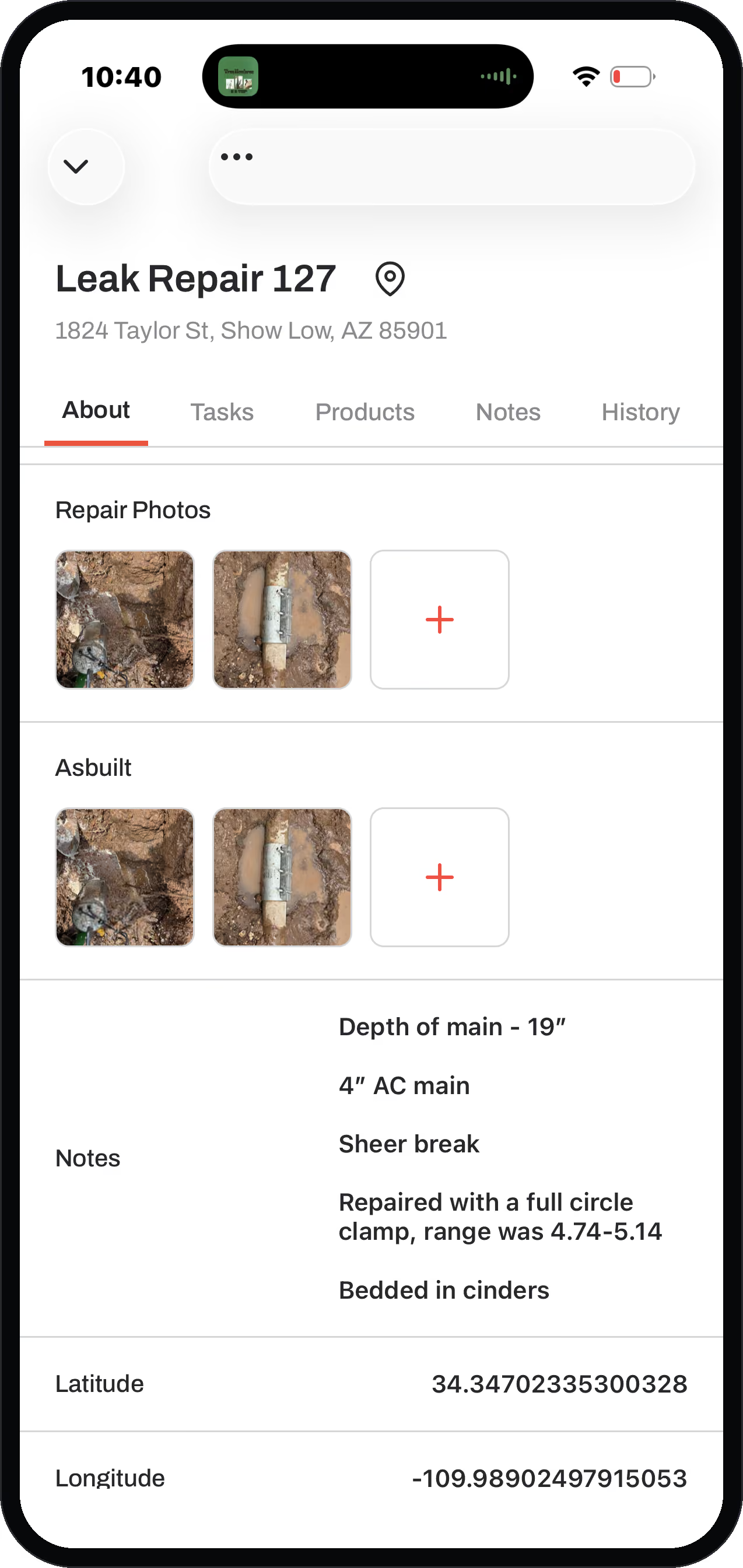
- Main Line Extensions: Main line extensions or replacements are a regular part of effective water utility management. Ziptility makes it easy to add or extend mainlines based on new GPS coordinates captured. Record the depth of the new main line, the material, the corresponding shutoff valves, and if there are any clamps or fittings on the existing lines, so others in your crew can check for water leaks.
Related Resources
Keep reading about water utility management:
Utility Asset Management Software for Water, Wastewater & StormwaterMobile Asset Management Software for Utility Field CrewsWhat Is GIS? A Plain-Language Guide for Small Water UtilitiesDo You Have an Asset Management Plan?.png)
.png)