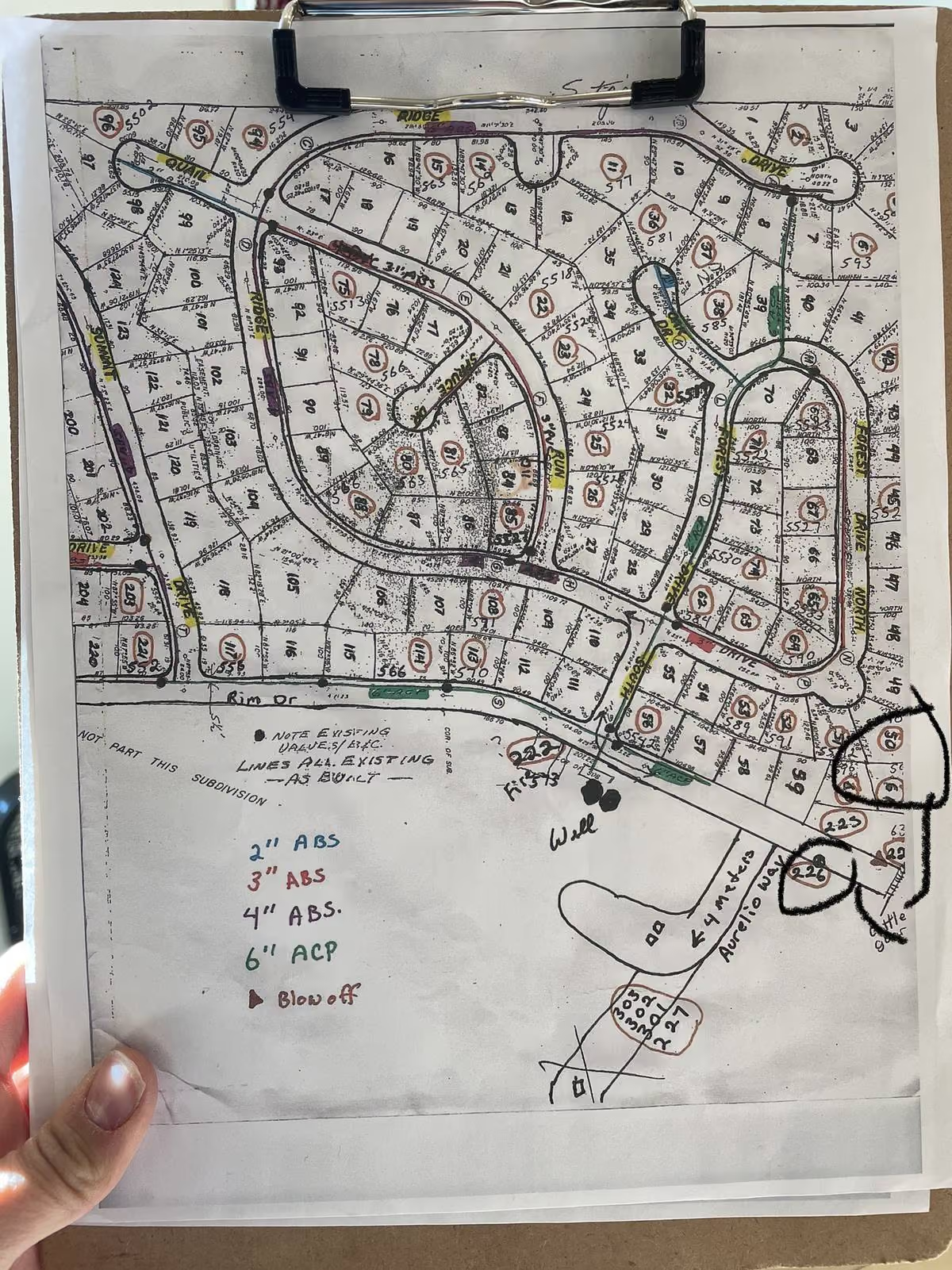
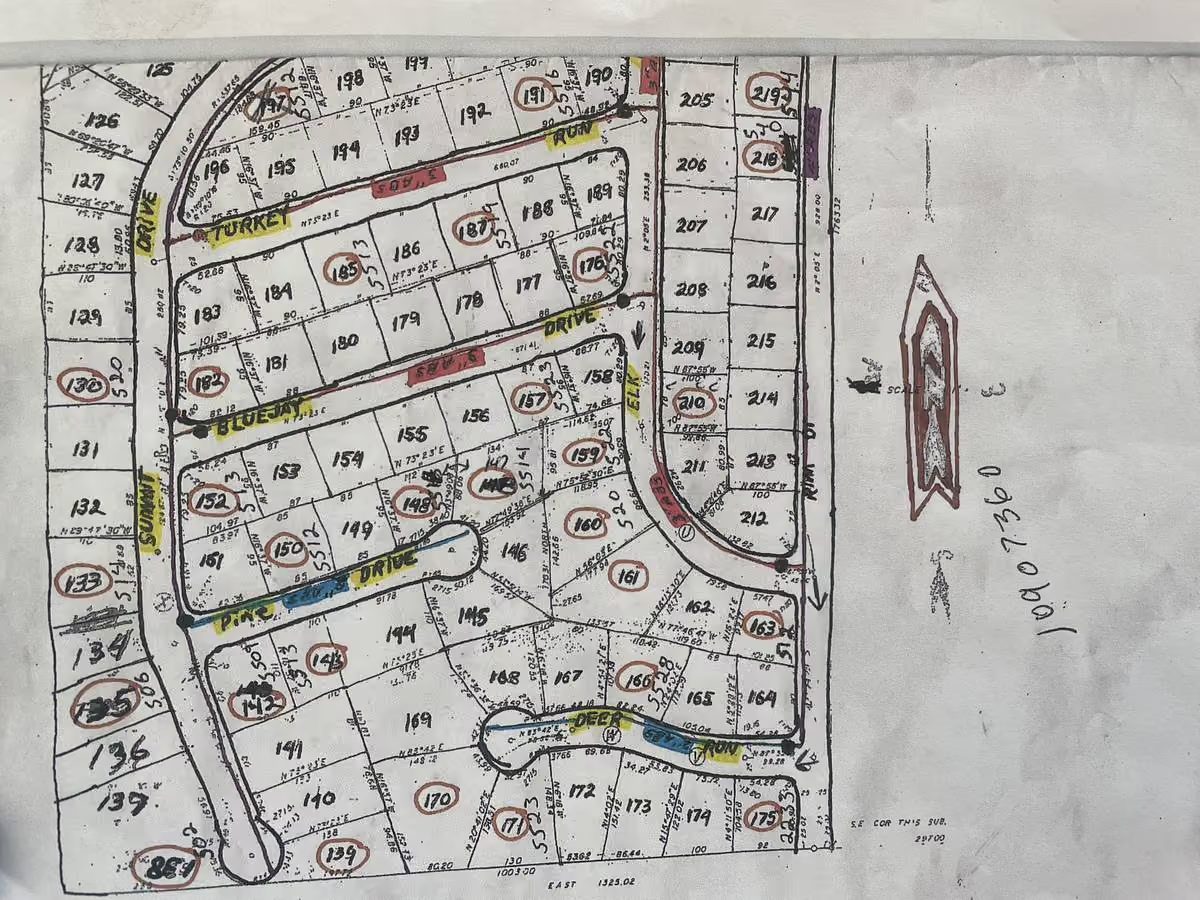
The new superintendent at a 1,200-connection town walks in on Monday morning and inherits four things. A binder of paper maps with handwritten edits going back to 1994. An ESRI shapefile export the engineering firm handed over in 2018. A meter list in the billing system that hasn't been reconciled in two years. And the previous superintendent's truck book, which had every valve location memorized and is now sitting in his pickup somewhere outside of town.
Two days into the job, the state inspector calls and asks for the last three years of hydrant flushing records. There isn't one record. There are five. None of them agree.
This is the moment small water utility managers and field teams realize a single source of truth for assets is not a software install. It is a discipline. Data governance for utilities, a clean starting inventory, GIS that coexists with the systems you already have, field-first updates, and a recurring upkeep schedule are the five pieces that build it and keep it accurate. This post walks through each step. If you want the diagnostic on why most asset databases drift in the first place, read Why Utility Asset Databases Fall Out of Sync first. This is the operating manual that goes with it.
Step 1: Set your data governance rules first
Data governance for utilities is the set of rules that says who owns the asset database, what gets recorded for each asset class, and how every change is logged. It sounds bureaucratic. In a small water utility it takes about 90 minutes to set up, and without it the database will drift no matter what software sits underneath.
Name an owner. One person, by title. Usually the superintendent. The owner is not the person who enters every record. The field crew does that. The owner sets the rules, watches the change log, and runs the recurring reconciliation. The owner is also the person who answers the inspector's question when a record is wrong.
Define what counts as an asset. Write this down in one page. For most small water and wastewater utilities the list is: valves, hydrants, meters, mains, services, lift stations, pumps, treatment equipment, generators, and tanks. Add or remove based on your system. If it lives in the ground or in the plant and you have to take care of it, it is an asset.
Define the minimum fields per asset class. Location (GPS or address), size, install year (or "unknown"), material, condition rating, last maintenance, last inspection, and a photo. If you can fill in six of those eight on day one, you are ahead of most small utilities. The "unknown" field is not failure. It is a starting line. You fill it in over time as the field crew finds it.
Define the change-log protocol. Every edit to the asset record gets a date, a name, and a reason. "Changed valve size from 6 inch to 8 inch, 2026-03-04, Bobby, found 8 inch during repair." That single line is the difference between a database that grows in accuracy and a database that gets corrected without anyone knowing what was wrong in the first place.
Most small utilities never write this down because they don't think they need to. Then the operator retires.
"Preventative maintenance data is stored in Bernie's brain." (Tyler Henke describing Newport NC)
That is the governance vacuum. Bernie is the rule set, the change log, and the owner. When Bernie leaves, the governance leaves. Write it down so it can outlast any one person. For the broader picture of what a utility asset management resource hub actually looks like in practice, the rules above are the foundation.
Step 2: Build a clean starting inventory
Asset inventory tracking starts with a one-time audit of every record you already have. Paper maps. The ESRI export from the engineering firm. The billing system meter list. Work order history. Contractor as-builts in a binder. The truck book. Sketches on the back of envelopes. All of it.
Pull every source into one place. A simple spreadsheet works on day one. One row per asset, one column per source. Where the sources agree, you have a confident record. Where they disagree, you have a question to answer. Where only one source has a record, you have a candidate to verify.
Reconcile billing to assets first. Every meter on the bill should exist in the asset database. Every meter in the asset database should appear on the bill. If 12 meters are billing and 10 are in the database, the field crew has two service connections to find before next month. If 14 meters are in the database and 12 are billing, two assets need to be marked retired or you need to figure out why a customer isn't being charged. The billing reconciliation is the fastest way to surface the gaps that matter most.
Field-walk one neighborhood. Pick the area where the records feel most uncertain. Walk it with the database open on a phone. Add photos. Add GPS pins. Mark hydrants as in service or out of service. Flag valves that won't turn. This is how you replace the old workaround:
"I've got painted marks on my curbs, and in my book, various locations, it's 2ft 5 inches from the curb, and so that's how I got to find it." (Andrew Hanna, Whitewater KS)
The paint on the curbs and the book in the truck are a parallel database. They work until Andrew leaves. The point of the neighborhood walk is to move that parallel database into the asset record. Once it's in the record, the next operator inherits the work instead of the workaround.
Start with the assets you touch most. Services, meters, and hydrants get repaired, replaced, and inspected most often. They are also the assets you can verify visually in a single walk. Mains and lift stations can wait until later. The fastest way to get traction is to make sure the assets you handle every week are accurate every week.
You will not finish in a month. That is fine. The point of Step 2 is to get a confident starting inventory for the assets that matter most, not to digitize every record at once. For utilities still working off paper, From Paper Maps to Digital GIS covers the digitizing side of the same work in more detail.
Step 3: Integrate GIS alongside the systems you already have
Asset data integration means your GIS, your billing system, and your work order tool share asset records. It does not mean one tool replaces the rest. Most small utilities have heard the pitch that they need to throw out ESRI or rip out their billing system to get a single source of truth. The pitch is wrong. The integration is the point.
GIS as the spatial backbone. Where things are on the map belongs in GIS. Every asset has a coordinate. Every map view shows the assets in their right place. If you already have an ESRI deployment, keep it. Use it for spatial analysis, isolation traces, and the council presentation map. The asset records can live next to the GIS layer and stay in sync.
Billing reconciliation as a monthly task. Tyler Technologies, Encode, Polaris, and Neptune360 are the billing systems most small water utilities run. They hold the meter list, the route, and the read history. The asset database holds the meter location, size, install date, and condition. The monthly check is simple. Export the bill list, compare to the asset list, flag mismatches, fix them. Thirty minutes a month is the cost of keeping the two in sync.
Some billing vendors make this harder than it needs to be.
"They've got it so locked down it's hard to share data." (Darrel Hawes, Stevens PUD)
When the vendor will not share, you fall back to a CSV export. CSV is enough for the monthly check. It is not enough for real-time sync, and that is fine for now. Real-time sync is a feature to ask for. CSV is the floor.
Work orders tied to assets. Every work order should point to a specific asset. A repair on hydrant H-247, not "the hydrant on Elm Street." The connection between the work and the asset is what keeps the maintenance history accurate. When the work order closes, the asset record gets the date, the work performed, the parts used, and the operator's name. No second step.
Compliance reads from the same record. Lead and copper sampling, NPDES permit testing, and state inspection prep all need the same asset data the field crew uses every day. If your compliance reports pull from a separate spreadsheet, you have two records that have to agree. They never do.
Ask vendors the right integration questions. Most utility software pitches include "open API" on the slide. Most APIs are partial. When evaluating a tool, ask: which of my systems does this connect to today, what data flows in which direction, and when was the last customer turned on for that integration. The honest answer is usually that the API exists, the connection is built case by case, and the spigot has to get turned on for your specific billing system. That is fine. You just want to know before you sign.
Most past attempts at consolidation fail because the new tool doesn't talk to the old systems.
"It didn't incorporate well with the office. They didn't like having to learn a new system. I think that's why it didn't take." (Lyndon Kern, Iola KS, on a prior asset management system)
That is the integration failure mode. The administrators wanted the new tool. The crew kept using the old way because the new tool was its own island. Integration is what prevents the island. For utilities deciding whether they need GIS for utilities as a separate tool or as part of an integrated record, the question is less "which is better" and more "do they share data."
Step 4: Capture every update at the moment of work
GIS asset data management stays accurate only when the field crew updates the record from the truck, not from a desktop the next day. This is the part where most asset databases break. The work happens. The record gets updated later. Then later turns into never.
Tie every work order to one asset. When a crew member opens a work order on the phone, the asset is already on the screen. The location is right. The history is right. The crew adds what they did, the parts used, and a photo. They close the work order. The asset record updates automatically. No retyping. No "remember to update the GIS when you get back."
Photo and GPS on every change. A photo with a GPS stamp is the most reliable record a small utility has. When a contractor installs a new section of main, a single photo of the work taken on a phone and tagged to the asset becomes the as-built. The engineer's drawing six months later might say the pipe is 18 inches deep. The photo shows it is 12. The photo wins.
"Take a picture, add it. Boom. So when the customer says there's no way, you can pull it up and go, well, here's proof." (skeith, Veolia)
The photo is also the answer to the customer dispute, the inspector's question, and the council member who wants to see what they paid for. One picture, taken in 10 seconds, replaces an argument.
Meter and service photos pay back fastest. Meters get hidden, buried, or moved more often than any other asset. A photo at install becomes the find-the-meter aid five years later.
"I definitely like the ability to add pictures, especially when it comes to these meters... it's not going to be a struggle where to, where is the meter?" (Chelsea Vialpando, Candlewood Park)
The meter photo is the difference between a 20-minute service call and a 90-minute scavenger hunt. Multiply that across a year and you have a small utility's case for going field-first.
No second step. The most common reason field-first fails is that the workflow has two halves. The crew does the work on the phone. The data entry happens later at the office. Later is the enemy. If the workflow has a second step, the second step gets skipped, and the asset record drifts again. The phone update is the record. There is no "later."
This also captures what the Lifer knows. Every time a long-tenured operator opens an asset on the phone, fixes a value the database had wrong, and closes the work order, a piece of their head moves into the record. Over a year, that is hundreds of corrections that survive their retirement. For the broader argument on why this matters, The Retiring Operator Problem covers the succession side.
If you want to see field-first updates in practice on your actual data, you can request a guided demo. The trial uses a slice of your real records, not a sandbox.
Step 5: Put map and record upkeep on a recurring schedule
Asset mapping maintenance has to be a recurring task on someone's calendar. Not a heroic effort once a year when the inspector calls. A calendar entry, repeating, with an owner. Treat it like a generator run or a tank inspection. If it is not scheduled, it does not happen.
A workable cadence for a utility serving a few hundred to 10,000 connections looks like this.
Monthly: billing-to-asset reconciliation. Thirty minutes. Export the meter list from billing. Pull the meter list from the asset database. Compare. Flag mismatches. Fix the mismatches by the end of the next week. Most months you will find one or two. Some months you will find ten and you will learn something about the system you didn't know.
Quarterly: neighborhood walk. Two hours. Pick a neighborhood the field crew hasn't walked recently. Open the database on a phone. Walk the streets. Add photos where they are missing. Mark hydrants as in service or out of service. Confirm valve locations. Capture anything new. The point of the walk is not to find everything. It is to make sure the asset record matches what is actually in the ground in that area as of today.
Annually: as-built and new-construction sweep. One day. Pull every engineer's as-built drawing from the year. Pull every contractor's work-completion sketch. Pull the city's new-development records. Reconcile them all against the asset database. New developments are the single biggest source of drift in small utility systems because the work happens, the contractor moves on, and the as-built ends up in a binder nobody opens.
Recurring tasks are upkeep too. Hydrant flushing every six months, valve exercising annually, meter check-reads on a route. Every one of those recurring tasks is also a chance to update the asset record. The flushing task closes with the date and the flow rate. The valve task closes with "turns freely" or "stuck stem nut, needs repair." The check-read closes with the meter reading and a photo if anything looks off. Maintenance is also drift prevention.
Get new hires into the record from day one. A new operator's first week should include logging into the asset database, opening a few records, and updating them under supervision. By month three the new hire should be the primary updater for one area of the system. By month six they should know the change-log protocol cold. Getting new staff started on the record is also how the Lifer's last six months become a structured knowledge transfer instead of a fire drill the week before retirement.
A small utility can run all of this with one person and a phone. It does not need a GIS department, a CMMS specialist, or a consultant. It needs a calendar entry, an owner, and a habit. For the deeper argument on why the owner matters more than the tool, Who Owns Your Map? makes the case.
How Ziptility helps
Ziptility is built around this exact discipline. Every work order writes back to the asset record automatically. The operator closes a hydrant flushing task on the phone, and the hydrant's record gets the date, the flow reading, the photo, and the operator's name. The crew member who fixes a service line closes the task, and the asset record gets the repair history without anyone having to retype it.
Asset records carry the photos, GPS pins, install date, material, size, condition rating, and full maintenance history per asset. Recurring tasks for hydrant flushing, valve exercising, meter checks, and any other upkeep cadence are set on a schedule and assigned to the field crew on the phone. The monthly billing reconciliation, the quarterly neighborhood walk, and the annual as-built sweep can all be set up as recurring tasks too, so the upkeep schedule lives inside the same tool the field crew uses every day.
Ziptility coexists with ESRI and CAD imports. If your engineering firm hands you shapefiles, they get imported. If you already have an ESRI deployment, it stays. The asset records sit alongside, and field-first updates flow into both.
We work with small water and wastewater utilities running systems from a few hundred to 10,000 connections. If you have already read Your Utility's Data Lives in Six Different Places and You Don't Need Better GIS, You Need an Operations Record, this is the field manual that turns those ideas into a five-step process. The companion piece is Why Utility Asset Databases Fall Out of Sync, which covers the diagnostic side of the same problem.
If you want to see field-first updates and recurring upkeep in practice on your actual data, request a guided demo. The trial imports a slice of your asset records and runs against your real valves, hydrants, and meters for 14 days. You can also see pricing and how Ziptility works before you book a call.