Preventive maintenance: replace the controls before they quit, not after.
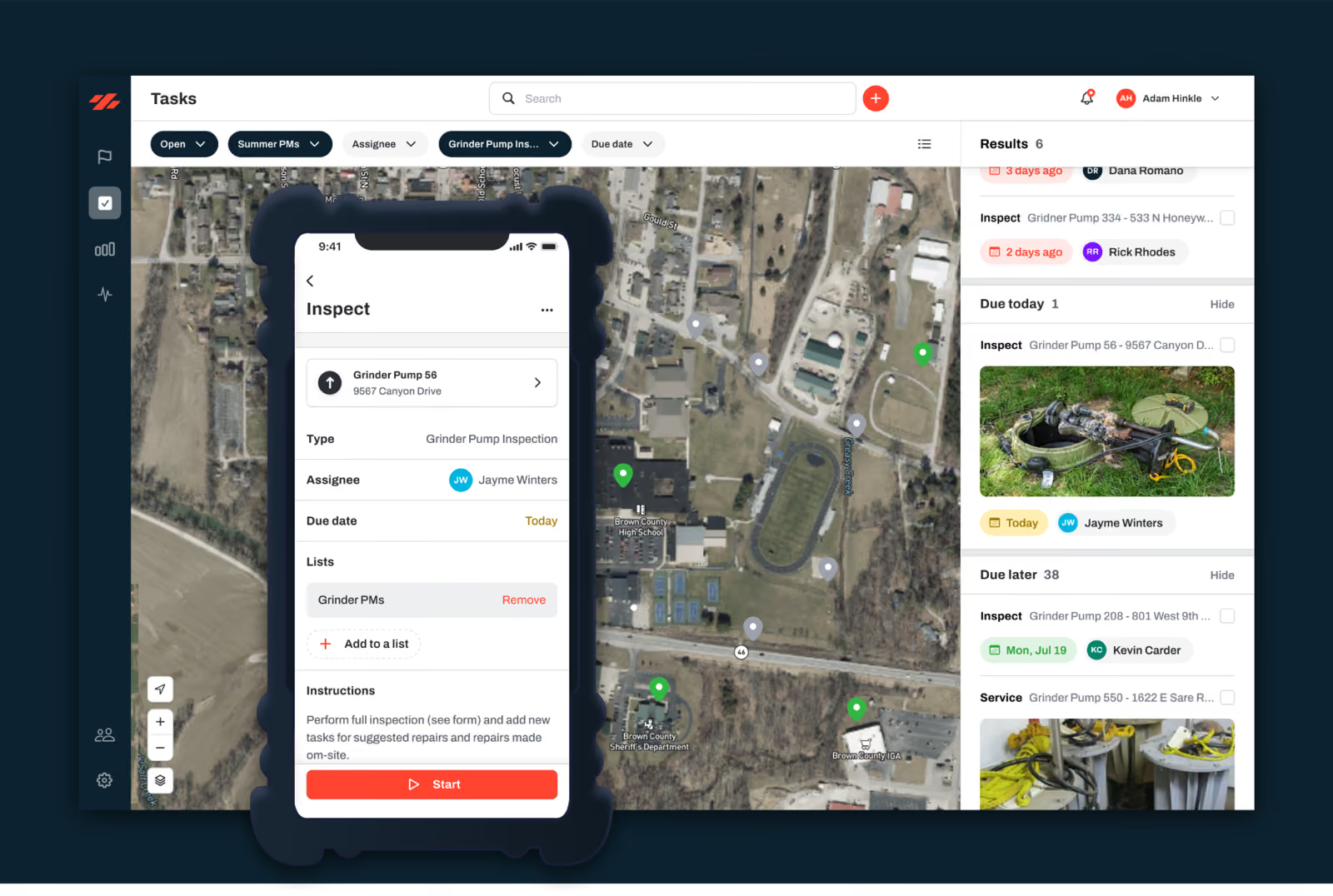
Most small systems run to failure whether they mean to or not. The valve that has not been turned in fifteen years is the one that will not close on the night of the main break. Not because the crew is lazy, but because there is no list, no schedule, and no time, so the expensive stuff gets attention only after it fails.
Here is the thing a lot of operators learn the hard way. A high-maintenance system becomes a low-maintenance system if you maintain it. Run-to-failure is a choice, and a small system can get off it with the crew it already has. Preventive maintenance software is how you set a schedule the crew will actually keep, decide what to service first, and log the work on the asset when it is done. Here is how that works for a system your size.
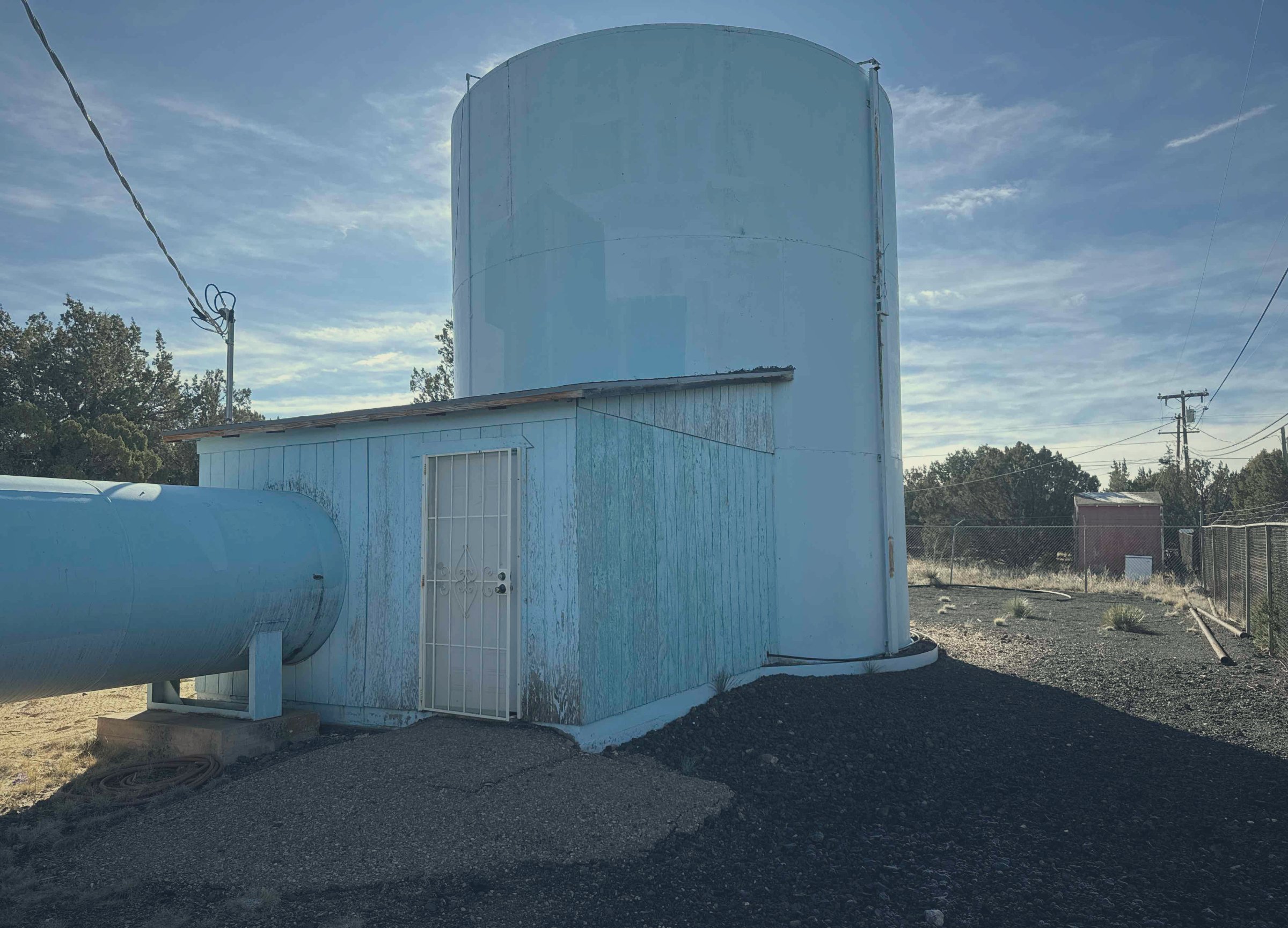
What is preventive maintenance software for a small water system?
It is a way to put your recurring maintenance on a cycle so the right work shows up on the right asset before it breaks.
The job gets recorded when the crew finishes it. For a small utility, the useful version is not a standalone maintenance calendar. It is the schedule built right on top of the map and the asset records you already keep.
In plain terms, it does three things.
It tells you what to maintain first.
It puts that work on a repeating cycle so nobody has to remember it.
And it logs the job back onto the asset, so the valve, hydrant, or pump carries its own service history.
The same map-first app the crew opens to fix a leak holds the maintenance program. You are not running a CMMS over here and a map over there, and you can keep it going yourself. It is built for a small crew, not a city IT department. Pricing is by service connections, not per seat, so the whole crew gets it on a phone.
How do you decide which assets to maintain first?
You let the asset tell you. A small crew does not have the hours to treat every asset like it deserves the same cycle.
The asset record carries condition, install year, expected useful life, and the likelihood and consequence of a failure. Those roll into a one-to-five criticality score, painted right on the map, so the worst, no-redundancy assets surface first.
- Treats the 8-inch transmission main feeding your only tank the same as a dead-end blow-off in a field
- A blind every-asset cycle
- High-consequence assets with no backup get the tighter cycle
- The rest get a reasonable one
- You maintain on consequence
It also gives you the color-coded map a board understands. When you ask for money to replace a run of cast iron, you are pointing at the red and orange assets. The score is right behind each one, not hand-waving. The criticality scoring lives on the asset side of the system, so see how criticality scoring works for how that record gets built.
How do you set up a recurring maintenance schedule the crew will keep?
You set the work on a cycle and let it show up by itself.
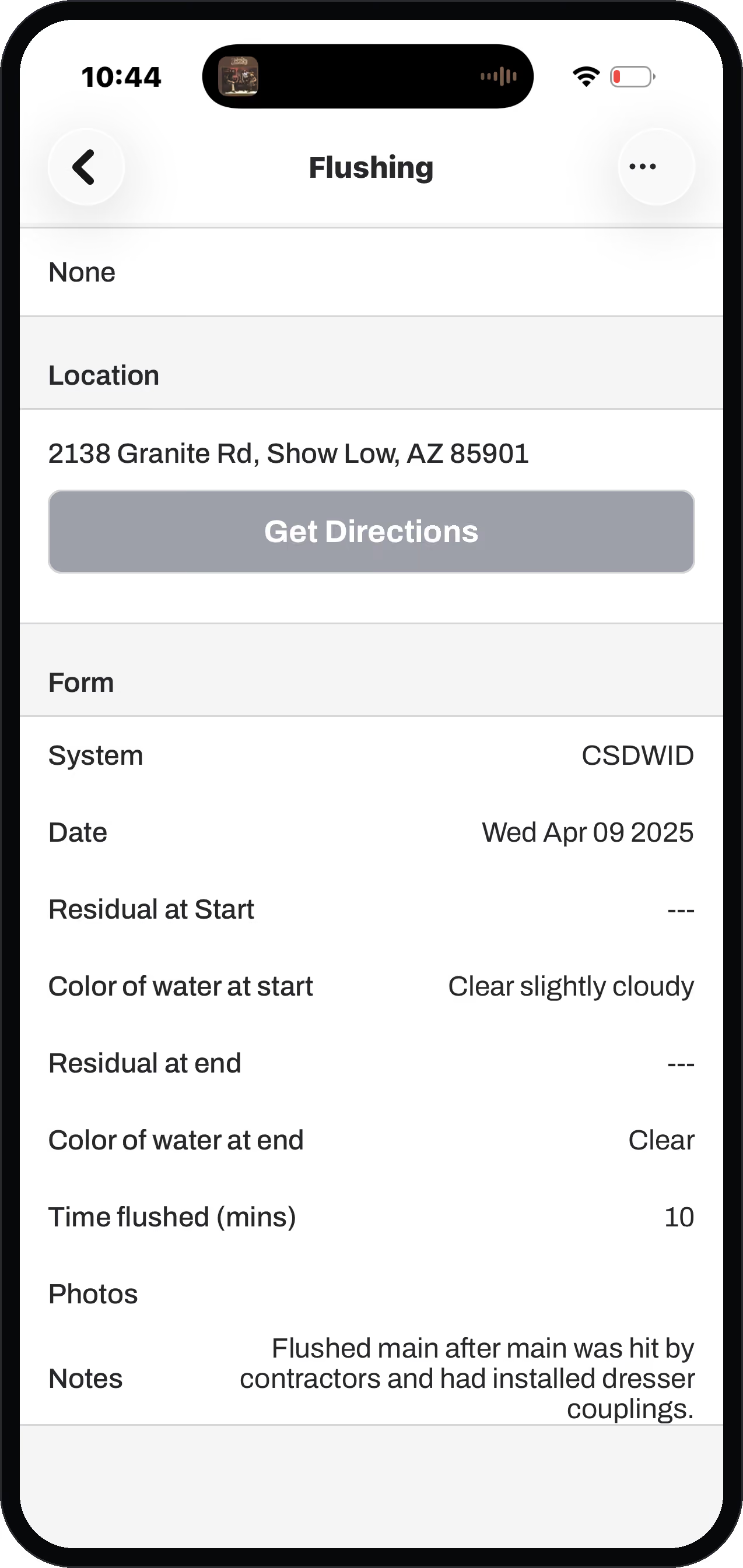
Same idea for the maintenance you already know you owe: valve exercising, hydrant flushing, main flushing, tank cleaning, manhole inspection, pump service. Those are real task templates, tagged as preventive work, with the fields an operator actually fills in.
Valve Exercise records turns to open, turns to close, and operating-nut condition.
Hydrant Flushing records duration, gallons, and chlorine residual before and after.
Backflow Test records the certification result.
One honest note from an operator who runs systems. For high-volume recurring work, do not try to auto-create a thousand valve-turn tasks at once. That is not practical, and it buries the crew in a queue. The better tool is map styling: color the assets by status, so the crew just hunts for anything that is not done yet. Cleaned green, untouched gray, and the field time goes to the work instead of to a list. We will tell you that on a demo rather than sell you a feature that drowns you.
The scheduling, assigning, and logging half of this lives on the work side of the system, so see how the work gets assigned and logged.
Does keeping a maintenance program mean more data entry for my crew?
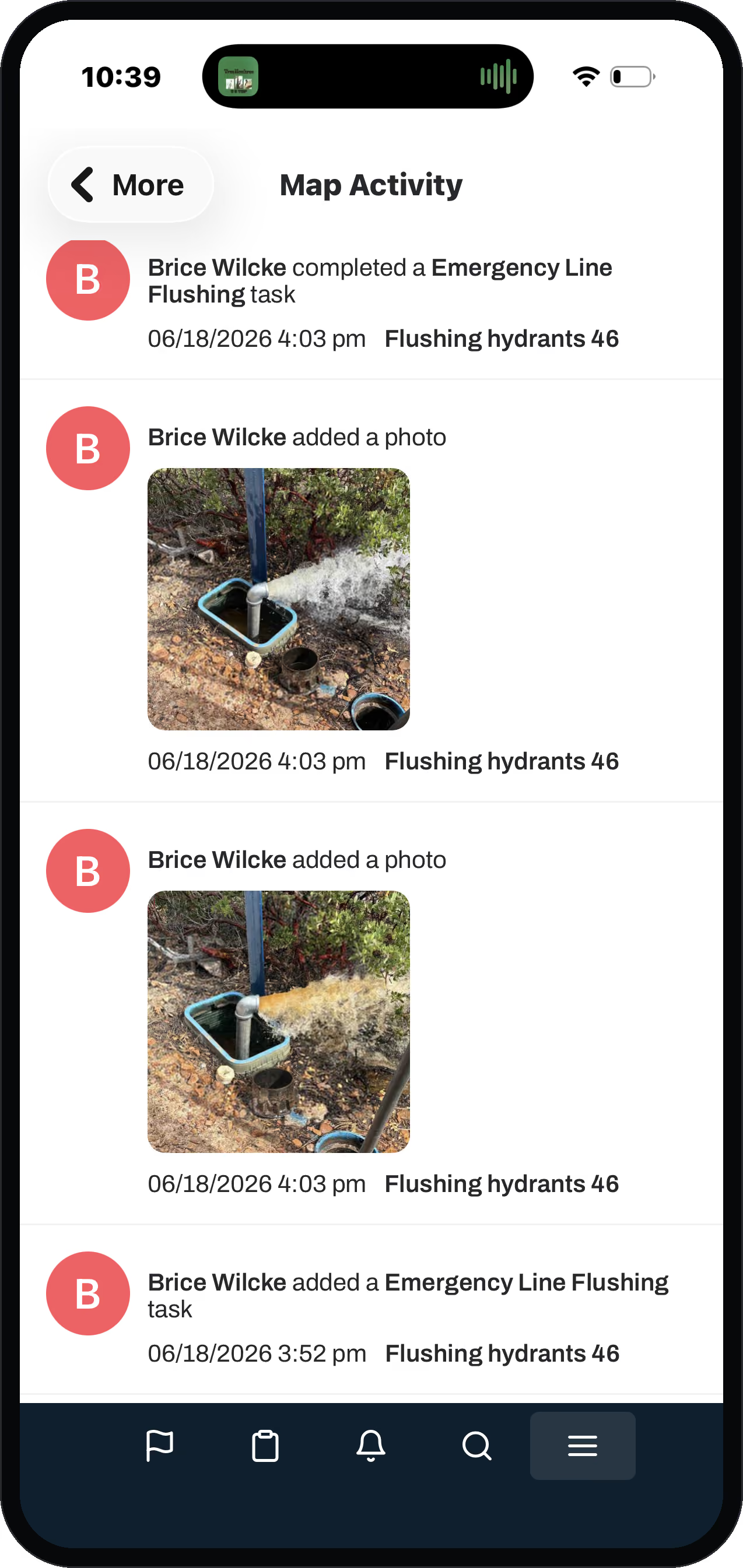
No. The record updates as a byproduct of the work, not as a separate chore.
When a tech finishes a valve exercise, he logs what he would note anyway, on the valve: how many turns, how hard it turned, the condition. That rolls straight up to the valve on the map and writes the service date. He did not stop to do data entry. He did the maintenance, and the history wrote itself.
Dead spots do not break the routine. The job still logs on the phone and syncs when the truck gets bars back.
Multiply that across a crew and a year, and the record builds itself as a byproduct of the work. Asset management walks through how it adds up.
It also means the program does not live in one veteran's head. When the operator who knows the cycle retires, the schedule, the history, and the scores stay in the system instead of walking out the door with him.
What does preventive maintenance cost versus letting things break?
You finally get a number on both.
Every job carries a dollar. When a task closes on an asset, three costs roll up onto it:
the parts the crew pulled
the equipment they ran
the labor at the rates you set
Parts draw down from inventory at a first-in, first-out unit price, so the number is real, not a guess.
Do that on preventive work and reactive failures alike, and you can put the two side by side. What did last year's run-to-failure main breaks cost in overtime, parts, and a rented excavator, against what the flushing-and-exercising program would have cost? That is the argument that wins a maintenance budget at a board meeting. You are showing them the math, not asking them to take your word for it. (Roll-ups reflect the costs and rates your utility enters.)
Questions operators ask
What is the best preventive maintenance software for a small water utility?
The one your crew will actually keep current from the field. For a small system that means a map-first app where the schedule rides on the same assets you already track. No per-seat fee, simple enough to run yourself, and not an enterprise CMMS built for a city with an IT department.
Do small utilities need preventive maintenance software, or is a spreadsheet enough?
A spreadsheet works until the person who maintains it leaves, and it never tells you what to do first. Software that ties the schedule to the asset record puts the work on a cycle and surfaces the high-consequence assets. It logs the job on the asset, so the program survives a retirement and a board can see it.
How do you decide which assets to maintain first?
You let the criticality score decide. Condition, install year, useful life, and the likelihood and consequence of failure roll into a one-to-five score painted on the map. The worst, no-redundancy assets surface first and get the tighter cycle, instead of everything riding the same blind calendar.
Can I set maintenance tasks to repeat on a schedule?
Yes. Routines auto-create recurring tasks on the right board before they are due, like a lead-and-copper sample every three years showing up the month ahead. For very high-volume recurring work, coloring assets by status on the map is the more practical tool than auto-creating thousands of tasks.
What is the difference between preventive and reactive maintenance, and what does each cost?
Preventive is the work you schedule so the asset does not fail. Reactive is the emergency after it does. Both get a dollar attached in the app (parts plus equipment plus labor), so you can show a board what last year's failures actually cost versus what a maintenance program costs.
Where this takes you next
Preventive maintenance rides on the asset record and the work that gets logged against it.
A maintenance schedule that survives a retirement
Every job logs to the asset, so the plan doesn't leave with the person who built it.