811 locates: mark the line once, and it's on the map for good.
811 locate ticket software for water and wastewater utilities
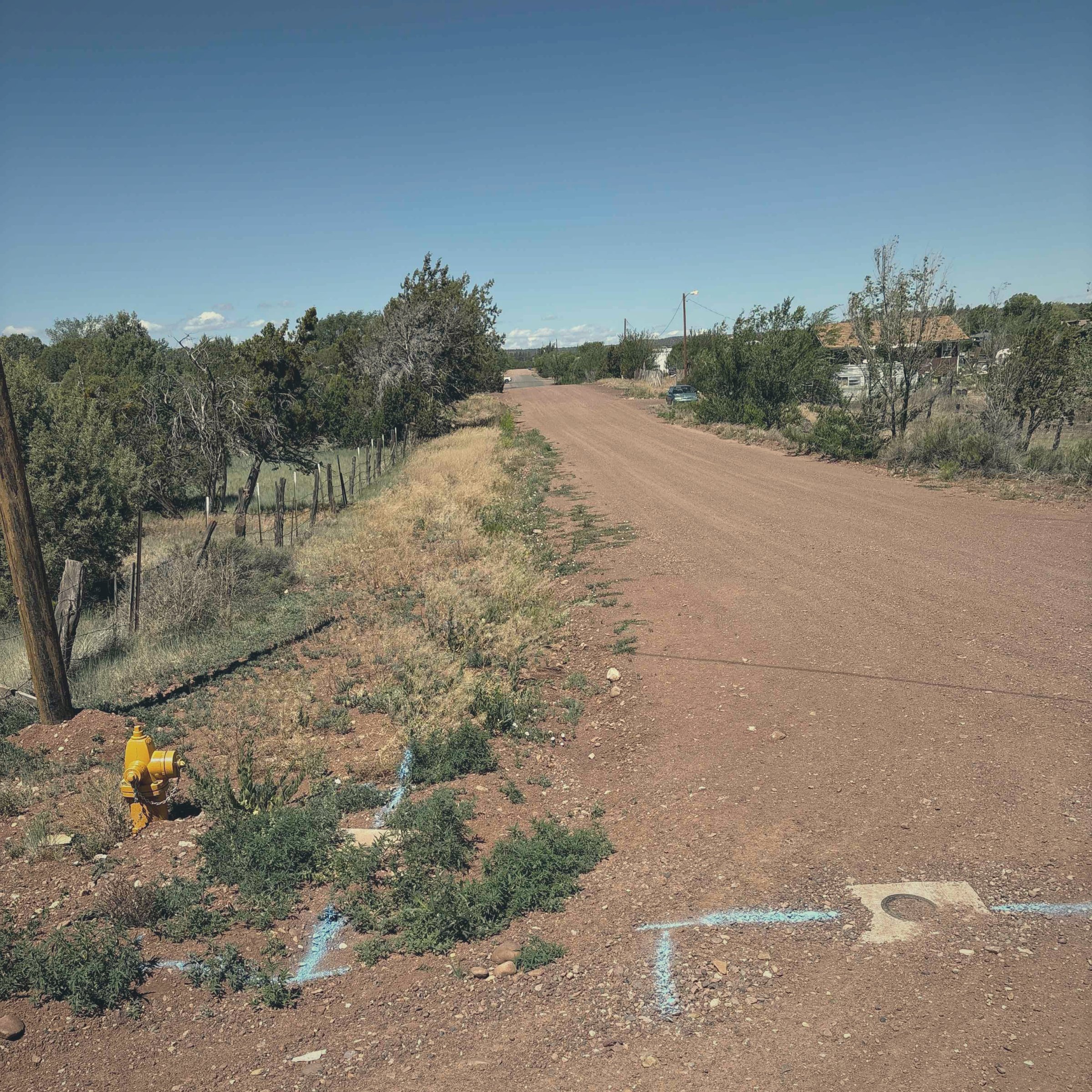
Here is a week most small-utility operators know by heart. The 811 tickets come in, sometimes fifteen a day in the busy season. Depending on your state it might be Blue Stake, JULIE, or just the one-call. Different name on the truck, same ticket, same clock. For each one you pull the paper maps, gather your records, drive out, and mark the ground with paint and blue stakes. Then you walk away. The ticket is closed, the dig is safe, and everything you just figured out about where that line runs disappears with you.
That last part is the waste. You are already doing the hardest part of mapping your system, finding the buried line and standing on top of it, every single week. You are just not keeping any of it. The one-call sticker says know what's below. You do know. The job is keeping it known. This page is about the part of Ziptility that catches it. The 811 ticket comes in, and the app turns the locate into a point on your map that your crew fills in while they mark. Here is how that works.
Locates do not wait for a signal. The job still logs on the phone and syncs when the truck gets bars back.
Your map and your records should be a byproduct of the work you already do, and the 811 locate is the clearest example of it.
How do I manage 811 locate tickets for a small water utility?
The ticket comes in and the app does the filing for you.
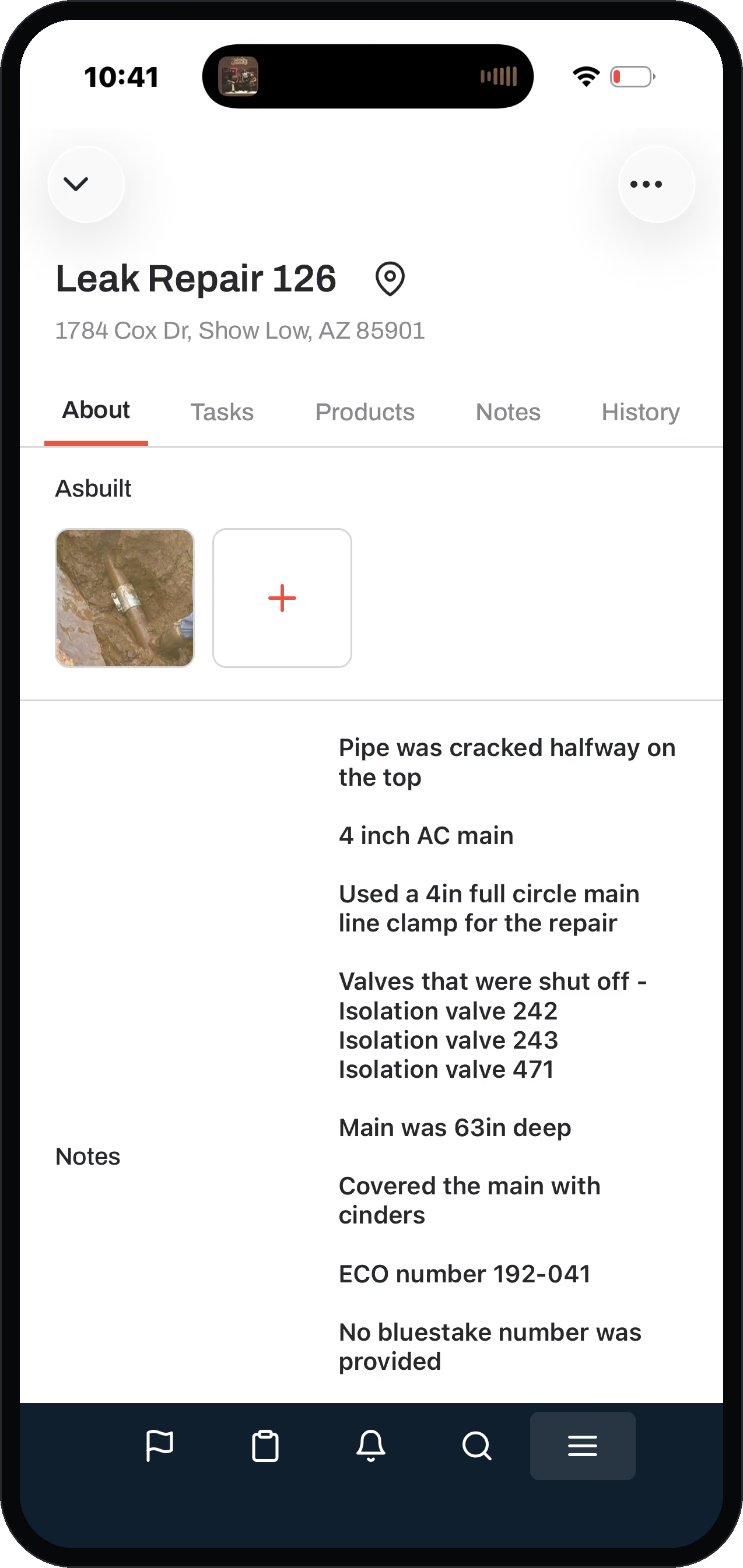
Ziptility reads the one-call ticket and creates two things. First, a locate asset at that spot on your map. Second, a task that says "go mark the blue stake." No second system to open, no log to keep, no ticket falling through on a sticky note.
That matters because a locate ticket runs on a clock. It is a regulated job with a real deadline and a real dig-in risk if you miss it. So the tickets belong on a tracked list your whole crew can see, not in one person's inbox. The operator who marks it closes the task in the field, and the record stays put.
For a system your size, that is the whole point. You get an on-time, defensible record of every locate without buying a separate locate-ticket system. It rides on the software you already use to run the rest of the utility.
Can I turn my 811 locates into a map or asset records?
Yes, and this is the part that makes 811 worth a page of its own.
Every locate you mark becomes a permanent, photographed point on your map. The ticket closes, and the point stays. The crew member out there grabs a picture of the paper as-built he pulled. He drops a note on why he marked where he marked and sets a confidence score on how sure he is. All of that attaches to the locate asset right there on the map.
Think about who is doing that marking. It is usually your most experienced operator, the one whose head holds the system. The locate is the one moment when that person is standing directly on top of a buried line. That is when he works out exactly where it runs. Catching what he knows at that moment is the richest knowledge-capture a small utility ever gets. Do it the normal way and that knowledge walks out the door the day he retires. Do it on the locate and it is on the map for good.
A play a team can run on purpose
If your best operator is a few years from hanging it up, put him on locates with the younger guy.
The map itself lives on the GIS side of Ziptility. This page is the workflow that feeds it. Every blue stake you mark adds one more known, photographed point to the living map your crew already pulls up on a phone.
Is digitizing all our paper maps a huge project?
No, and that is the reframe that changes the whole thing.
The crew photographs the old as-built right at the spot it describes, so the paper record itself gets preserved digitally, attached to the ground it belongs to. Over a year or two of normal locating, you can digitize a serious chunk of those old paper records.
- Block off a month to digitize.
- Sit down and digitize ten years of paper.
- A project you never find time to finish.
- Answer the locates you already have to.
- Each one drops a dated, photographed point on the map.
- A process, no data project required.

The locates feature alone has paid for itself. We know exactly where everything is now.
What does Ziptility actually create when a ticket comes in?
It creates two things and skips the data entry.
A locate asset on your map, and a task out to the crew to go mark it.
From there it behaves like the rest of your work. The locate task sits on a board with your other field work, so nothing gets lost. When the crew closes it, the photos, the confidence score, and the notes log to the record. Ziptility prices by service connection, not by user, so the operator in the truck has the same app as the office. The locate gets filled in where it happens instead of re-typed back at a desk.
The 811 connection is a direct integration: the ticket comes in and the record shows up, no re-typing. It ships as an extension you add to the app rather than a separate product, and the pricing page covers how that fits your system.
Do 811 locates have to be tracked for compliance?
Yes. One-call locates are a legal requirement.
They run on a clock, and missing one carries real consequences: a compliance problem and the risk of a struck line. That is exactly why they should not live in somebody's inbox or memory.
Ziptility gives the locate a home.
A tracked task
With the due date on it.
Who and when
A record of who marked it and when.
The photos
To back it up.
If anyone ever asks whether you located before a dig, you have the dated, photographed proof instead of a guess.
Then there is the day you hope never comes. A fiber crew bores through your main, water is everywhere, and the finger-pointing starts: did you locate it, did you mark it right, was the mark even there when they dug? With Ziptility you pull up that locate: dated, closed on time, the mark visible in the photo, the name of the operator who made it. When the damage claim lands on the table, you are not reconstructing your side from memory and a paper ticket nobody can find. You are handing over the record. That conversation goes very differently when you can show your work.
Questions operators ask
How do I manage 811 locate tickets for a small water utility?
The one-call ticket comes into Ziptility, and the app creates a locate asset on your map and a task to go mark the blue stake. The locate then sits on a tracked list with the rest of your field work instead of in an inbox. No separate locate-ticket system to buy.
Is an 811 ticket the same thing as JULIE, Miss Utility, or Blue Stake?
Yes. Every state runs its one-call program under its own name. Illinois has JULIE, Michigan has MISS DIG, Maryland and Virginia have Miss Utility, Wisconsin has Diggers Hotline, New England digs safe with Dig Safe, and Utah still runs Blue Stakes. Arizona called it Blue Stake for decades too. Whatever the name on the truck, it is the same ticket on the same clock, and Ziptility handles it the same way.
Can I turn my 811 locates into a map or asset records?
Yes. Every locate becomes a point on your living map. The crew attaches a photo of the as-built, a note on why they marked where they did, and a confidence score. The map lives on the GIS side of Ziptility; the 811 workflow feeds it.
Is digitizing all my paper maps a huge project?
No. It is a process, not a project. You answer your locates the way you already do, and each one adds a real, photographed point to the map. Over a year or two of normal locating you can digitize a lot of your old paper without ever sitting down to a data project.
Who fills in the locate, and why does that matter?
Usually your most experienced operator, because he is the one out marking the line. That is the one moment he is standing on top of the buried asset. Capturing what he knows right there is the richest knowledge capture a small system gets. Otherwise it walks out the door the day he retires.
Can we use locates to capture a retiring operator's knowledge?
Yes, and teams do it on purpose. Pair the veteran with the younger operator on locates, photograph the old as-builts at the spots they describe, and bank thirty years of knowing-where-everything-is onto the map before he goes. The knowledge stays even after the person leaves.
What happens if a contractor hits my line after a locate?
The finger-pointing starts, and your record is your side of it. Ziptility keeps every locate as a dated task with the photo of the mark and the name of who made it. When a boring crew or an excavator strikes a line and the damage claim shows up, you show the record instead of arguing from memory.
Does Ziptility file my 811 ticket for me?
No. The ticket still comes from your one-call center. Ziptility takes it from there. It tracks the locate as a task with a due date and makes sure it gets marked on time. You end up with a dated, photographed record you can show to prove you located before a dig.
Keep reading
More on handling locates
Three pieces that go further than a product page can, written for the crew that has to answer the ticket and still get the day's work done.
811 locates for small utilities
What the ticket volume actually looks like at a small system, and how crews keep the response window without dropping everything else.
Read how small systems keep upDigging near buried lines
Field Guide chapter: the OSHA trench depth triggers, and the rule for what a crew may do when the lines have not been marked yet.
Read the trenching rulesMaps and records
Field Guide chapter: the smallest record of your mains, valves, and hydrants that still answers a locate when the operator who knows the town is out.
Read what to write down first