Most small systems run on five programs and one person's memory.
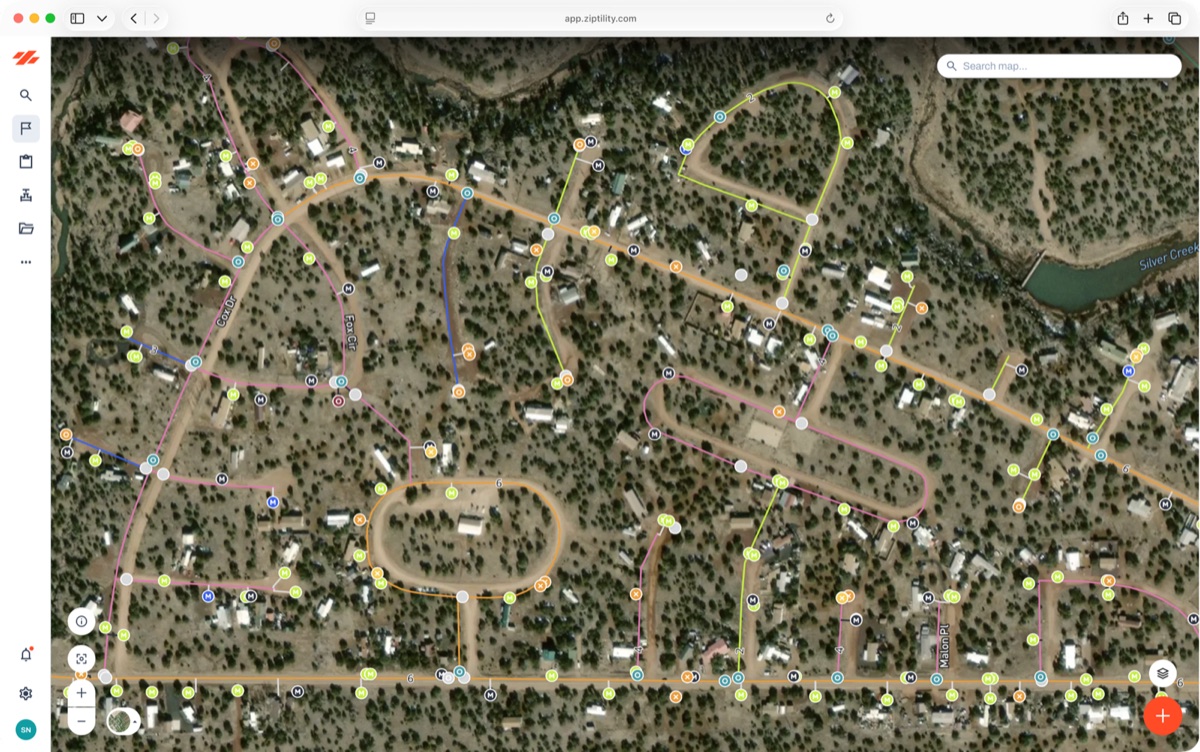
All-in-one utility management software for small water and wastewater systems
The five programs are real. A GIS map the engineer built. A work-order spreadsheet. A parts list taped to the shop wall. A billing system. A folder of compliance paperwork. None of them talk to each other, and the part that ties it all together lives in the head of the operator who has been there twenty years. When he retires, it goes with him.
Ziptility is one app to run the whole system, in one place your crew pulls up on a phone. Here is what it does, who it is for, and where each piece lives.
Where each piece lives
Open any piece to see how it works.
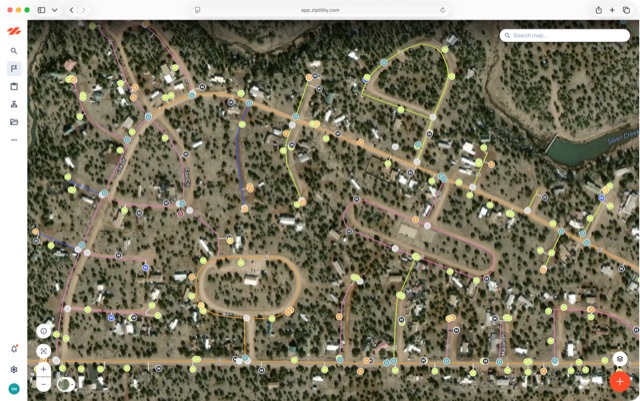
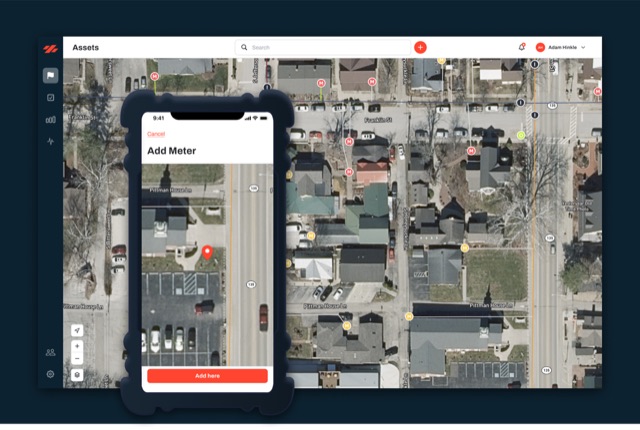
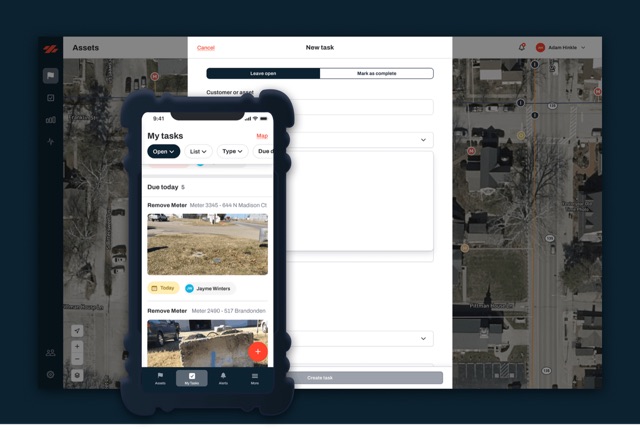

Run a specific kind of utility? See water, wastewater, stormwater, contract operators, and public works. Working with an engineer? Start at for engineers.
What does utility management software actually do for a small system?
It puts everything you own and everything you do in one place, on a map.
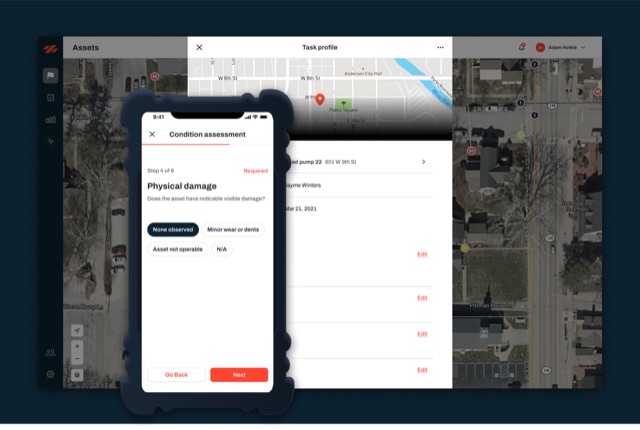
The map is the backbone, and everything else rides on it. Every main, valve, hydrant, meter, well, lift station, and manhole is a point or a line you can tap, and when your crew does work, it gets logged right on the asset it happened to. The map stops being a picture and becomes the record you run the system from.
You are not buying a map plus a separate work-order program plus a separate parts list. You are buying one system where the work, the parts, the cost, and the history all hang off the same map. When your operator fixes a hydrant, he fixes it on the hydrant, and the record picks it up right there. One app covers what a small system runs day to day:
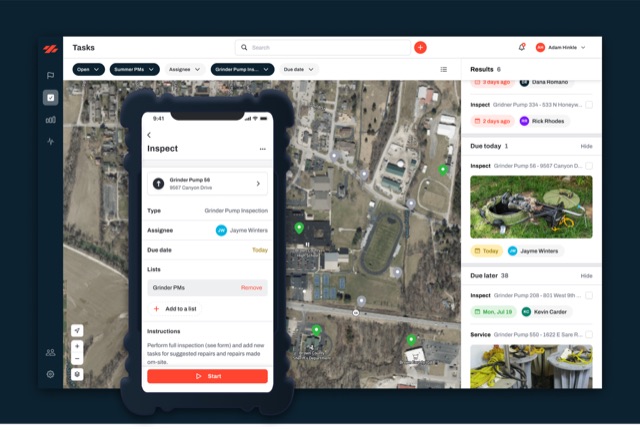
- The map (GIS): every asset on one map, searchable, on a phone in the field.
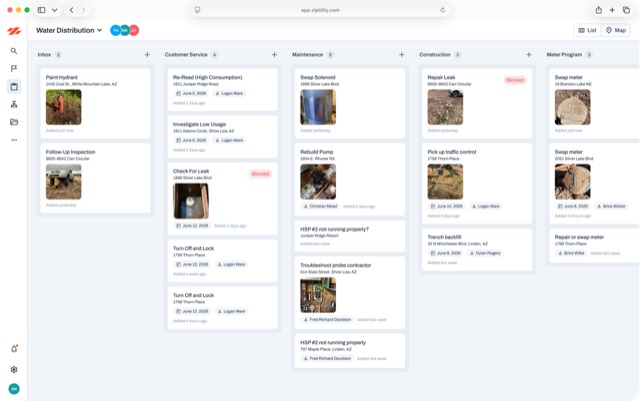
- The work: assign, do, and close work orders tied to the asset, not floating on a list.
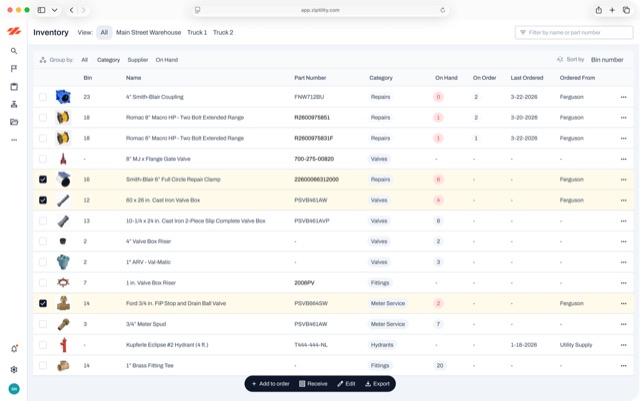
- The parts: track inventory, draw it down automatically when a part gets used, and reorder before you run out.
- The money: the true cost of a job (parts plus equipment plus labor) rolls up onto the asset, so you build a capital plan off real numbers.
- The compliance: recurring sampling and inspections that come due on their own, with the record sitting there when the state asks.
Why one app instead of stitching tools together?
Because the seams between five programs are where the work falls through.
A large regional operator we talked with runs five to seven separate systems: one for assets, one for GIS, one for field entry, a couple for meters and billing, two or three for accounting. The field app was so clunky the crews stopped using it and went back to paper route sheets at their desks. (A large regional operator, 2026-06-18.)

Most of the guys don't use it in the field because it's very cumbersome, so they actually will just go back to their office with their paper route sheet.
Every tool you bolt on is another login, another export, another spot where the record drifts out of sync. For a one-to-twelve-person utility, nobody has time to be the integration between five systems, so the data rots and you are back to the operator's memory. One app captures the work, the parts, the cost, and the history at the moment it happens. Log a leak once and everything that matters gets captured in that one stop: the cost, the water-loss estimate, the staff time, the condition of the main. One action in the field, not five.
Is it really built for water, or a generic tool I have to configure?
It is built for water and wastewater and nothing else, so most of the setup is already done.
Because we only do this one kind of system, the templates and task setups are already there: 42 asset templates and 142 task templates, built for this work and nothing else. It works out of the box, and you can customize it from there.
The templates are specific because the work is specific. A Fire Hydrant asset already carries flow class per NFPA 291, paint color, and outlet configuration. A Service Line already carries lead status for lead-and-copper work. A Valve Exercise task already records turns to close and direction, and writes the condition straight back to the valve. You are not naming fields in a blank tool for a month. You start from a working template and adjust it.
This is the opposite of an enterprise system you buy and then pay a consultant to make usable. The water and wastewater thinking is already built in, so you start using it instead of building it, with the crew you already have. No per-seat fee: pricing is by service connections, so the whole crew can have it on a phone instead of one license on the office computer.
- You name the fields yourself in a blank tool
- Buy it, then pay a consultant to make it usable
- Per-seat licences, one sitting on the office computer
- 42 asset templates and 142 task templates, already built
- Hydrants carry NFPA 291 flow class, paint colour and outlet configuration
- Priced by service connection, so the whole crew has it on a phone
Will keeping it all current be one more thing my crew does not have time for?
No. The record updates as a byproduct of the work your crew is already doing, not as a separate project.
That is the idea the whole app is built on. You already have enough to do.
An operator out doing valve maintenance logs what he would note anyway, the turns and the condition, and that rolls straight up to the valve on the map. He did not stop to do data entry. He did valve maintenance, and the record updated itself.
Every person on your crew does maybe ten small tasks a day, and each one adds a little more. Over a year that is thousands of true, dated updates, built without anyone ever sitting down to a data project.
It saves real time, too. Mogollon Water Management, a 3,000-connection utility operation in Arizona, got 10 to 15 hours a week back, mostly because work gets assigned to the crew straight from the office instead of routed through three programs.
How do I get started, and how does it build over time?
You start with what you have, in two steps: log what you've got, then start using it.
Paper maps, an old shapefile, a spreadsheet of meters, whatever exists. We import it (bulk shapefiles and CSV included), clean it up, and put it on the map as a starting point. Nobody in this line of work starts with clean data, and that is fine.
From there it stacks on itself. Get your layers in. Then tasks ride on the assets. Then parts, equipment, and labor roll up into real cost reports. Each layer makes the next one more useful, and the record gets more useful the longer you run it. You can start with almost nothing on the map, because the crew fills it in as they go.
Questions operators ask
Is there one app that does mapping, work orders, and compliance for a small water system?
Yes. Ziptility puts the map, the work orders, the parts, the cost, and the compliance record in one app built only for small water and wastewater systems. The map is the backbone, and everything else rides on it, so the record stays current instead of scattering across five programs.
What is the best all-in-one software for a small wastewater utility?
For a small system, the best one is the app your crew will actually use from the field, with the templates already built for water and wastewater. Ziptility ships with 42 asset templates and 142 task templates. It works out of the box, and you can customize it from there.
Do I need separate GIS and work-order tools, or can one app do both?
One app does both, and it works better that way. When the work is tied to the map, fixing a hydrant updates the hydrant's record automatically. Separate tools mean separate logins and a record that drifts out of sync, which is the exact problem one app removes.
Do I need an IT department to run it?
No. It is built for utilities run by a handful of people, and it is simple enough that you run it yourself with the crew you already have. The water and wastewater thinking is already built in. No per-seat fee: pricing is by service connections, so the whole crew can have it on a phone.
How long does it take to get started if my data is a mess?
You start with what you have. We import your paper maps, shapefiles, or spreadsheets, put them on the map, and the record fills in as your crew works. It is two steps: log what you've got, then start using it. You do not wait until everything is perfect.